Shopping Cart



How to Design a Scalable Network for a Multi-Branch Business
Learn how to build a scalable network for multi-branch businesses using SD-WAN, cloud-managed networking, VLANs, centralized management, and network redundancy.
By Blue Edge Team | Jun 07, 2026

How to Design a Scalable Network for a Multi-Branch Business
Quick answer: To design a scalable network for a multi-branch business, start with a centralized architecture, standardize hardware across locations, segment your network for security, and adopt cloud-managed or SD-WAN technology. This approach allows you to add new branches quickly without rebuilding your infrastructure from the ground up.
A growing business with multiple locations faces a unique challenge: keeping every branch connected, secure, and fast—without creating a tangle of inconsistent systems. A poorly planned network slows productivity, increases costs, and becomes harder to fix with each new site.
A scalable network solves this problem. It is built to expand smoothly, so adding a fifth, tenth, or fiftieth branch requires far less effort than the first. This guide explains the core principles, technologies, and steps you need to design a multi-branch network that grows with your business.
What does a scalable network mean for a multi-branch business?
A scalable network is one that can handle increased demand—more users, more devices, more locations—without a complete redesign. For a multi-branch business, scalability means three things:
- Consistent performance across every location, regardless of size.
- Easy expansion, where adding a new branch follows a repeatable template.
- Centralized control, so your IT team manages all sites from a single point.
Without scalability, each new branch becomes a custom project. With it, growth becomes a routine process.
What are the core principles of a scalable network design?
A strong foundation prevents costly rework later. Focus on these four principles before selecting any hardware.
Standardize your hardware and configurations
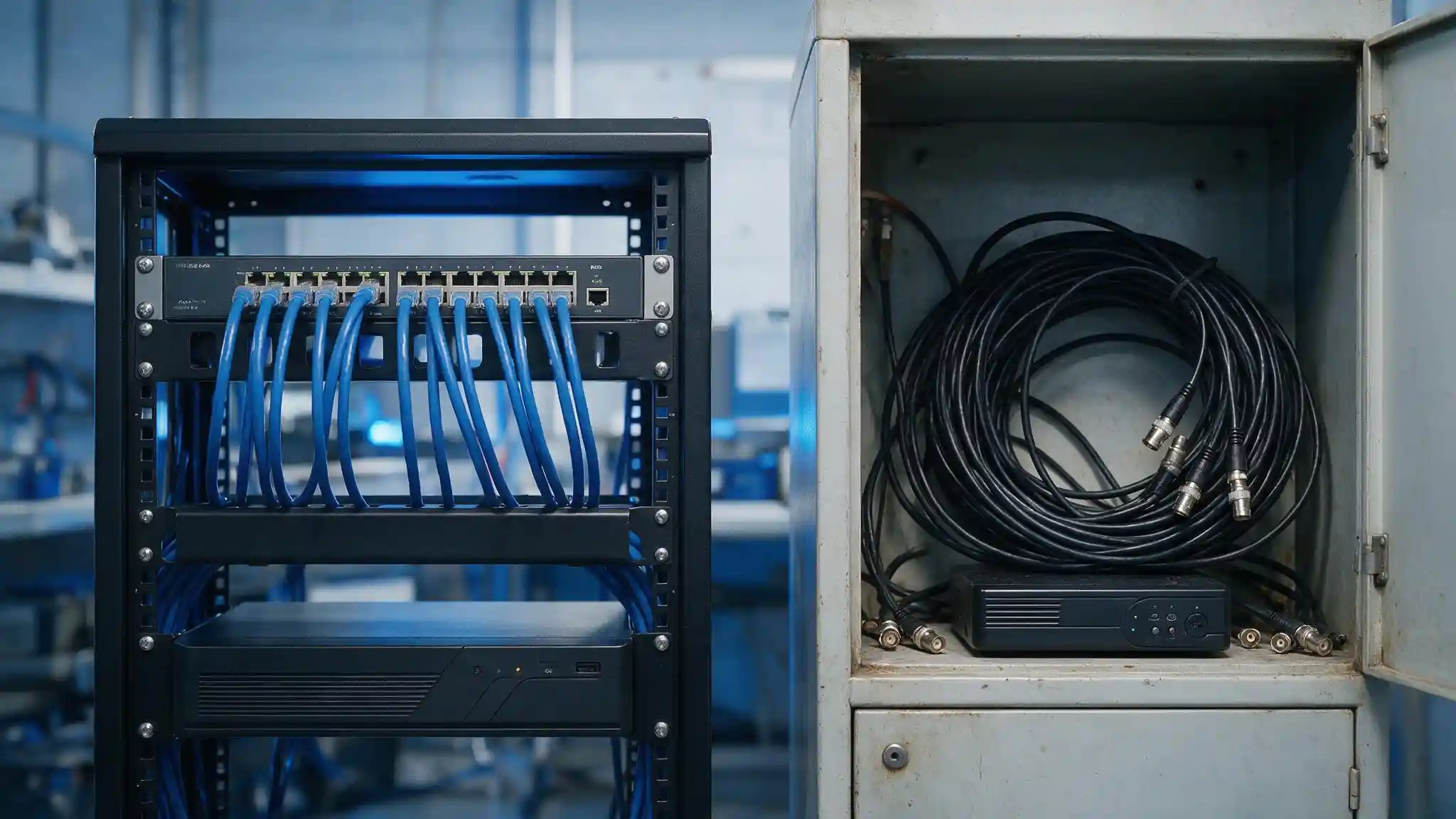
Use the same models of routers, switches, and access points across all branches. Standardization simplifies troubleshooting, reduces spare-part inventory, and makes staff training faster. When every site uses identical equipment, your IT team can deploy a new branch using a proven configuration template.
Build a centralized architecture
Route traffic and management through a central hub, such as a headquarters or a cloud platform. Centralized control gives you a single view of all branches, simplifies security updates, and ensures consistent policies everywhere. This is the backbone of efficient multi-site management.
Segment your network for security and performance
Divide your network into separate zones using VLANs (Virtual Local Area Networks). Segmentation isolates sensitive data, limits the spread of cyber threats, and improves performance by reducing congestion. For example, keep guest Wi-Fi traffic completely separate from internal business systems.
Plan for redundancy
Build in backup connections and failover paths. If one internet link or device fails, traffic reroutes automatically, keeping branches online. Redundancy protects against downtime, which is critical for businesses that depend on constant connectivity.
Which technologies make a multi-branch network scalable?
The right technology choices determine how easily your network grows. The following solutions are central to modern multi-branch design.
SD-WAN for flexible connectivity
SD-WAN (Software-Defined Wide Area Network) connects branches over multiple link types, including broadband, fiber, and LTE. It intelligently routes traffic for the best performance and lets you add new sites quickly. Choose SD-WAN if you have many branches and need centralized control with lower bandwidth costs.
Cloud-managed networking
Cloud-managed platforms let you configure, monitor, and update every branch from a web dashboard. New devices can be shipped directly to a branch and configured remotely—often called zero-touch provisioning. Choose cloud-managed networking if your IT team is small or spread across regions.
Scalable IP addressing
Plan your IP address scheme with future growth in mind. Assign consistent address ranges to each branch so new sites slot neatly into your structure. A well-designed addressing plan prevents conflicts and confusion as you expand.
What steps should you follow to design the network?
A clear process keeps your project on track. Follow these steps in order.
- 1. Assess current and future needs. Document the number of branches, users, devices, and applications at each site. Estimate growth over the next three to five years.
- 2. Design the core architecture. Decide whether your hub will be a physical headquarters, a cloud platform, or a hybrid of both.
- 3. Select standardized hardware. Choose routers, switches, and access points that meet performance needs and support all sites.
- 4. Implement security and segmentation. Apply firewalls, VLANs, and access controls consistently across every branch.
- 5. Deploy and test in phases. Roll out one branch first, confirm performance, then replicate the template across remaining sites.
- 6. Monitor and optimize. Use centralized tools to track performance and adjust as the business grows.
What are common mistakes to avoid?
Even well-planned networks can fail when these errors appear:
- Mixing hardware brands and models, which complicates support and configuration.
- Ignoring security at branch level, leaving smaller sites as easy entry points for attackers.
- Underestimating bandwidth needs, causing slow performance as usage grows.
- Skipping documentation, which makes troubleshooting and expansion far harder.
Avoiding these pitfalls keeps your network reliable and easy to scale.
Building a network that grows with you
A scalable multi-branch network is an investment in your business's future. By standardizing hardware, centralizing management, segmenting for security, and adopting technologies like SD-WAN and cloud-managed networking, you create an infrastructure that expands with minimal disruption.
Start by assessing your current setup against the principles in this guide. Identify the gaps, then plan a phased rollout. If you need expert support, partnering with an experienced network solutions provider ensures your design meets industry standards and performs reliably at every location.
Frequently Asked Questions
-
How much does it cost to build a scalable multi-branch network?
Costs vary based on the number of branches, the technology chosen, and bandwidth requirements. SD-WAN and cloud-managed solutions often lower long-term costs by reducing on-site IT visits and using more affordable internet links. Request a tailored assessment for an accurate estimate.
-
How long does it take to deploy a multi-branch network?
Timelines depend on the number of sites and complexity. A single branch can often be deployed in days using a standardized template, while a full multi-site rollout may take several weeks to a few months when done in phases.
-
Is SD-WAN better than a traditional WAN for multiple branches?
For most multi-branch businesses, yes. SD-WAN offers centralized control, flexible connectivity, and lower bandwidth costs. A traditional WAN may suit businesses with very few sites and simple needs, but it is harder to scale.
-
How do I keep all branches secure?
Apply consistent security policies across every site using firewalls, network segmentation with VLANs, and centralized access controls. Treat smaller branches with the same level of security as your headquarters to avoid weak entry points.
-
Can a small business build a scalable network?
Yes. Cloud-managed networking and zero-touch provisioning make scalable design accessible to smaller businesses with limited IT staff. Starting with a standardized, centralized approach means you can grow without rebuilding your infrastructure later.