Shopping Cart


- Articles
- IT Management
- MDM vs RMM: What's the Difference and Do You Need Both?
MDM vs RMM: What's the Difference and Do You Need Both?
MDM manages phones and tablets; RMM monitors and patches computers and servers. See the differences, when you need both, and what the NCA ECC expects.
By Blue Edge Team | Published Oct 02, 2026 | Updated Oct 03, 2026 | 10 min read
Quick answer
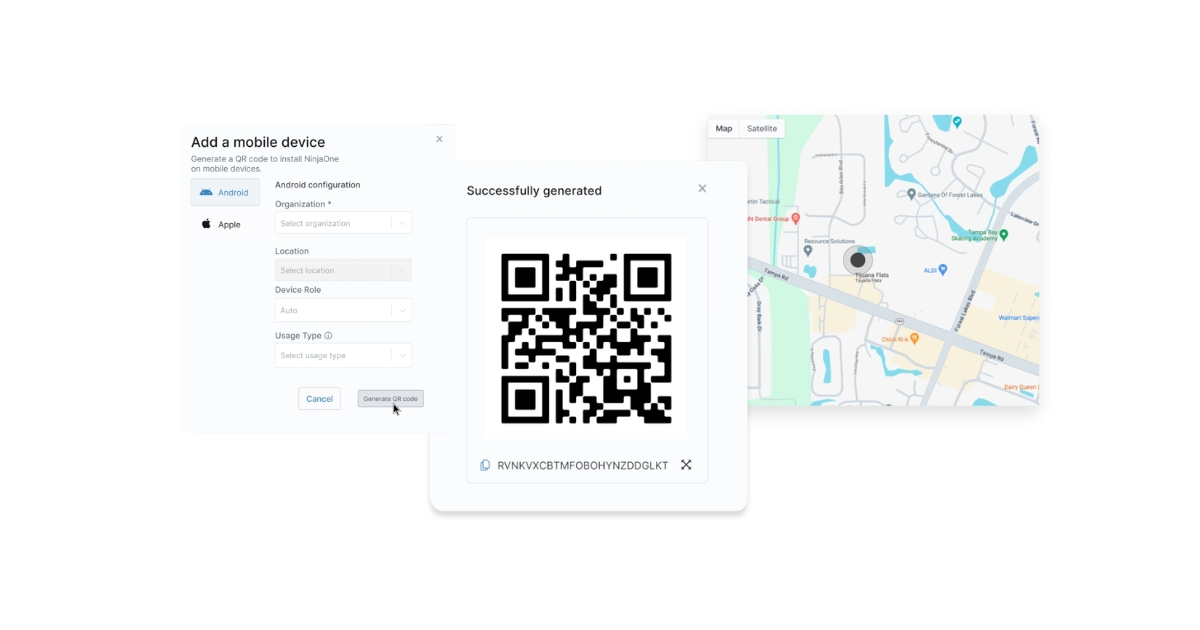
MDM manages phones and tablets through the operating system's built-in management channel, while RMM monitors, patches and fixes computers and servers through an installed agent. Most organisations with company laptops and phones need both, ideally in one console; NinjaOne, for example, manages iOS, iPadOS and Android devices alongside Windows, macOS and Linux endpoints.
Saudi IT teams usually meet this question at renewal time. The laptop tool cannot see the sales team's new phones, the phone tool cannot patch the finance team's PDF reader, and an ECC review asks for a complete inventory of both. Buying a second product feels wasteful, but skipping it leaves a gap.
The two tools grew up separately: RMM with IT teams and service providers keeping Windows fleets healthy, as our guide to RMM software explains, and MDM with smartphones arriving at work, covered in our overview of mobile device management in Saudi Arabia. They now overlap, which is where the confusion starts.
This guide explains what each tool does, how each reaches a device and when you need one or both, then covers what Saudi rules add. It ends with the mistakes that leave devices unmanaged.
What Is the Difference Between MDM and RMM?
MDM (mobile device management) configures and secures phones and tablets through the management framework built into iOS, iPadOS and Android, while RMM (remote monitoring and management) watches, patches and repairs computers and servers through an agent installed on each one. The difference shows up in four places:
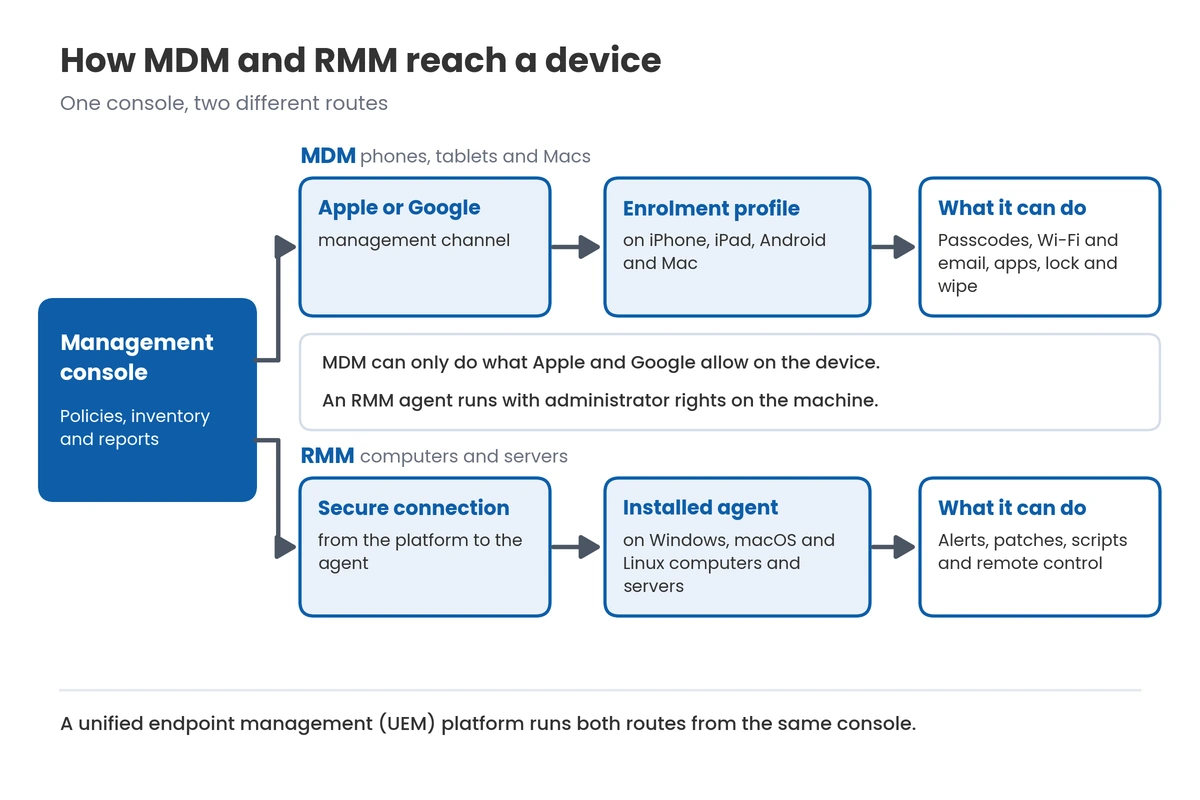
- What they control: MDM sets passcodes, Wi-Fi and email profiles, apps, and remote lock and wipe, while RMM handles health alerts, patching, scripts and remote control.
- Which devices they cover: MDM covers iPhones, iPads, Android devices and, through Apple's framework, Macs; RMM covers Windows, macOS and Linux computers, servers and virtual machines.
- How deep they go: an MDM can only do what Apple and Google allow, while an RMM agent runs with administrator rights on the machine.
- Who owns the device: MDM is built to handle personal phones with separated work data, while an RMM agent belongs on company-owned machines.
How does each one reach a device?
MDM sends commands through Apple's or Google's management channel to an enrolment profile on the device, while RMM sends commands to its own agent. That is why an iPhone is managed through MDM rather than an agent, and why servers are managed through an agent rather than MDM.
Is MDM part of RMM?
Not traditionally, but the two are merging into unified endpoint management (UEM) platforms that run both from one console. NinjaOne, for example, describes its MDM as built into its unified endpoint management platform, so iPads are managed alongside Windows, macOS and Linux endpoints.
Do You Need MDM, RMM or Both?
Count your devices by type and by owner, because the list usually answers the question. Then match each group to the tool that can actually manage it.
Which tool does each device need?
Each device group maps to one tool, except Macs, which benefit from both. Count each group before you ask for quotes:
- Windows laptops and desktops: RMM, for patching, scripts and monitoring.
- Servers and virtual machines: RMM.
- Macs: both, with MDM for Apple settings and RMM for scripts and third-party patching.
- Company iPhones, iPads and Android devices: MDM, enrolled through Apple Business Manager or Android Enterprise so they are managed before they reach the user.
- Personal phones with company email or apps: MDM, with work data kept separate.
Do you need MDM if you only have laptops?
No. If no company data reaches a phone or tablet, RMM covers you, but the moment company email or files land on a phone, you need MDM for passcodes, encryption and wipe.
Should both come from one vendor?
One platform is simpler: one inventory, one set of policies and one report for auditors. NinjaOne, for example, runs RMM for Windows, macOS and Linux, patching the operating systems and more than 200 third-party applications, and MDM for iOS, iPadOS and Android in the same console. Two vendors can work, but someone then has to reconcile two device lists.
How Do MDM and RMM Compare?
The table sets the two tools side by side on the points that decide a purchase. Read it by device type rather than by feature count.
| Point | MDM | RMM |
|---|---|---|
| Main job | Configure and secure phones and tablets | Monitor, patch and fix computers and servers |
| Devices | iPhone, iPad, Android and Macs | Windows, macOS and Linux computers, servers and virtual machines |
| How it connects | Enrolment through the operating system's management framework | An agent installed on each machine |
| Typical actions | Passcode rules, Wi-Fi and email profiles, app installs, lock and wipe | Alerts, scripts, software deployment and remote control |
| Patching | Operating system updates within Apple's and Google's rules | Operating system and third-party application patching on a schedule |
| Personal devices | Built for them, with work data separated | Not suitable, because the agent has administrator rights |
| Lost device | Remote lock or wipe, or a work-data-only wipe on personal phones | Relies on disk encryption; actions run when the device next connects |
| Main users | IT teams supporting a mobile workforce | IT teams and service providers running desktops and servers |
Key takeaway
For most Saudi organisations with company laptops and phones, the answer is both, run from one platform so there is a single inventory for audits. RMM alone suits a laptop-only team, and MDM alone suits a mobile-only workforce such as a field sales team on tablets.
What Do Saudi Organisations Need to Consider?
Four local points shape the setup more than any feature list: what the NCA's Essential Cybersecurity Controls expect for mobile devices, where remote support is run from, how the PDPL treats personal phones, and when the Saudi working week allows patching. Each one changes how you configure the tools, not just which you buy.
What does the NCA ECC expect for mobile devices?
For government entities and critical-infrastructure operators, the ECC requires organisation data on mobile devices and personal devices to be separated and encrypted, use to be restricted to business needs, and the data to be deleted when a device is lost or an employee leaves, with the rules reviewed periodically. MDM is the tool that enforces and evidences all four, and our guide to the NCA Essential Cybersecurity Controls covers the wider framework.
Can an outside provider manage your devices from abroad?
Check before you sign. For entities in scope, the ECC expects managed cybersecurity services that monitor and operate systems through remote access to be run from inside the Kingdom, and questions about where a platform stores its data now sit with the National Data Management Office at SDAIA rather than the ECC. Ask any provider where its operations team and its data centre are.
How does the PDPL affect MDM on personal phones?
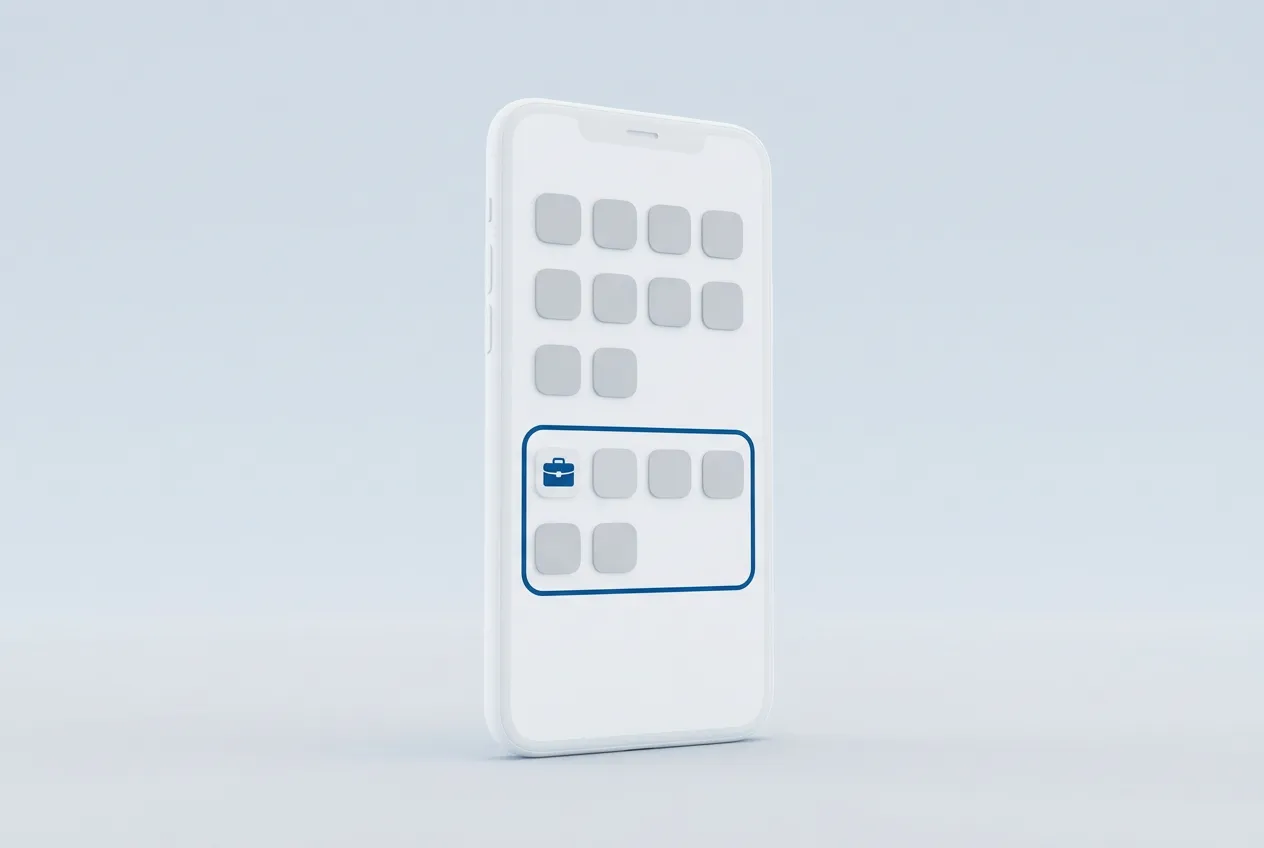
It makes privacy a design choice. Device location and personal content are personal data, so collect only what the purpose needs: NinjaOne, for example, tracks a personal device's location only when the user grants permission, and its wipe for personal devices removes the corporate container while leaving personal data untouched. Tell staff in writing what the MDM can and cannot see before they enrol.
When should patches and reboots run in Saudi Arabia?
Around the Saudi working week, not a template's. Sunday is a working day in Saudi Arabia, so move any Sunday maintenance window to Thursday night, Friday or Saturday, and adjust the windows when working hours change in Ramadan.

Blue Edge, a value-added technology distributor based in Dammam, is the authorised NinjaOne distributor in Saudi Arabia and supplies projects across the Kingdom. NinjaOne combines remote monitoring and management for Windows, macOS and Linux with mobile device management for iOS, iPadOS and Android, and Blue Edge supplies the licences and supports onboarding, with IT installation and configuration services alongside.
What Are the Most Common MDM and RMM Mistakes?
Most failures come from covering one device type and assuming the rest are safe. Here they are, worst first:
- Leaving the RMM console without multi-factor authentication. An RMM console can push scripts to every machine at once, so one stolen password can become a fleet-wide incident.
- Installing an RMM agent on personal devices. The agent's administrator rights reach the employee's private files, which invites refusals and privacy complaints; manage personal phones through MDM instead.
- Buying MDM and assuming the laptops are covered. MDM alone rarely patches third-party Windows applications or runs maintenance scripts, so outdated browsers and PDF readers stay exposed.
- Enrolling company phones by hand. Without Apple Business Manager or Android Enterprise enrolment, a factory reset can take a phone out of management and IT has to enrol it again.
- Running two consoles with two inventories. Devices get counted twice or missed, and every audit starts with reconciling two lists.
Inventory Every Device Before You Choose a Platform
Start with a list of every device, grouped by type and owner: Windows, Mac, Linux, servers, company phones and tablets, and personal phones that touch company data. Mark which groups fall under ECC or PDPL requirements.
Then run a pilot. Enrol a handful of each device type, including at least one personal phone, and check patch reports, the work-data wipe and alerting before you roll out.
Finally, set policies for the Saudi calendar and your auditors. Fix maintenance windows around the working week, turn on multi-factor authentication for every console user, and export a single inventory report to prove coverage.
Key takeaways
- MDM configures and secures phones and tablets; RMM monitors, patches and repairs computers and servers.
- MDM works through Apple's and Google's management framework; RMM works through an installed agent.
- Macs benefit from both, and most organisations with company phones need both.
- One platform that runs both gives a single inventory for audits.
- In Saudi Arabia, plan for the ECC's mobile and BYOD rules, the PDPL on personal phones and a Sunday-to-Thursday working week.
Frequently Asked Questions
-
Can RMM manage iPhones?
Not through an agent. iPhones and iPads are managed through Apple's built-in management framework, so an RMM needs an MDM component to control them. Unified platforms add that component in the same console, which is how NinjaOne manages iOS devices next to Windows laptops.
-
Can MDM manage Windows laptops?
Partly. Windows includes its own management channel, so an MDM can apply settings and policies, but monitoring, maintenance scripts and third-party application patching are RMM strengths. Organisations with many Windows laptops usually rely on RMM for them, with MDM covering the phones.
-
Is RMM only for managed service providers?
No. RMM started with service providers who manage many clients, but internal IT teams use the same tools to monitor, patch and support their own devices. The difference lies mostly in multi-client reporting and billing features, not in the core monitoring and patching.
-
What is unified endpoint management (UEM)?
UEM is a single platform that manages every endpoint type, combining MDM for phones and tablets with agent-based management for computers and servers. The benefit is one inventory, one set of policies and one report, instead of separate tools that someone has to reconcile.
-
Can you use MDM and RMM from different vendors?
Yes, it works technically, but it doubles the work around the tools. You maintain two inventories, two sets of admin accounts and two alert streams, so check that the products can share data through an integration before you commit to the pair.
Sources & References
- NinjaOne — BYOD Management (Android, iOS and iPadOS support, corporate-container wipe, location only with user permission, data separation on Android only) vendor documentation
- NinjaOne — Cross Platform MDM (Apple Business Manager, Apple School Manager and Android Enterprise enrolment, supervised mode, fully cloud-hosted) vendor documentation
- NinjaOne — iPad Management Software (MDM built into the unified endpoint management platform with Windows, macOS and Linux) vendor documentation
- NinjaOne — Cloud RMM (Windows, macOS and Linux monitoring and patching, more than 200 third-party applications) vendor documentation
- Apple — Intro to Apple Platform Deployment (User Enrollment, supervision, Device Enrollment and Automated Device Enrollment) vendor documentation
- Microsoft — Mobile Device Management overview for Windows — vendor documentation — https://learn.microsoft.com/en-us/windows/client-management/mdm-overview National Cybersecurity Authority (NCA) — Essential Cybersecurity Controls (ECC-2:2024) regulator
Choosing between MDM, RMM or both?
Blue Edge supplies NinjaOne, which runs remote monitoring and management and mobile device management in one console, as the authorised NinjaOne distributor in Saudi Arabia.
Call or WhatsApp +966 53 9855 188, contact the Blue Edge team, or see NinjaOne in Saudi Arabia.
About Blue Edge
Blue Edge Company is a value-added technology distributor based in Dammam, Saudi Arabia, supplying interactive displays, smart building systems, networking infrastructure and IT security software to businesses and residential projects across the Kingdom, with installation and technical support.
Learn more about Blue Edge →Published 2 October 2026 • Last updated 3 October 2026 • This article is reviewed when standards, regulations or product guidance change.