Shopping Cart


- Articles
- Cybersecurity
- What Is Multi-Factor Authentication and Why Is It Non-Negotiable?
What Is Multi-Factor Authentication and Why Is It Non-Negotiable?
Learn why multi-factor authentication is essential for protecting business accounts, preventing cyberattacks, and strengthening cybersecurity with an extra layer of identity verification.
By Blue Edge Team | Published Jun 30, 2026 | Updated Sep 23, 2026 | 6 min read
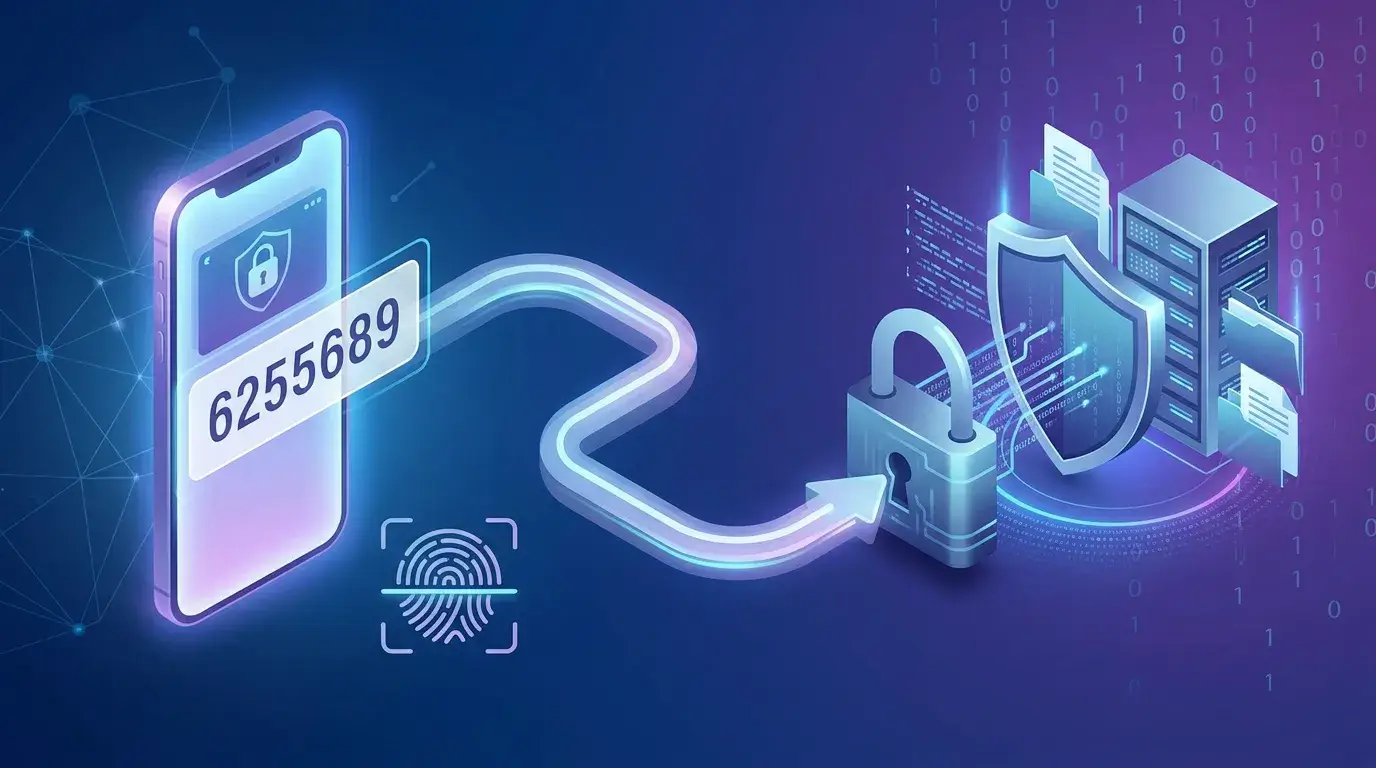
Multi-factor authentication (MFA) is a security method that requires users to verify their identity using two or more independent factors before accessing an account or system. According to Microsoft, MFA blocks over 99.9% of account compromise attacks—making it one of the most effective cybersecurity tools available to individuals and organizations of any size.
Every second, Microsoft's systems absorb more than 1,000 password-based attacks. That figure is not a projection—it is happening right now. Yet despite this relentless threat, a significant portion of businesses still rely on a single password to protect sensitive data, customer records, and critical infrastructure.
The consequences are predictable. Over 99.9% of compromised accounts analyzed by Microsoft lacked multi-factor authentication. A single stolen or guessed password is all it takes.
This guide explains what multi-factor authentication is, how it works, who needs it, and what happens when organizations choose to skip it.
What exactly is multi-factor authentication (MFA)?
Multi-factor authentication is a security protocol that requires users to present at least two distinct forms of verification before gaining access to an account, application, or system. Rather than relying on a password alone, MFA layers multiple authentication factors to confirm that the person requesting access is who they claim to be.
These factors fall into three categories:
- Something you know — a password, PIN, or security question
- Something you have — a mobile device, hardware token, or authenticator app
- Something you are — a fingerprint, facial scan, or other biometric identifier
Two-factor authentication (2FA) is a specific form of MFA that uses exactly two of these factors. All 2FA is MFA, but not all MFA is limited to two factors.
Why passwords alone are no longer sufficient
Passwords are the weakest link in most security systems—and user behavior makes the problem worse. According to the Workplace Password Malpractice Report, 57% of individuals write their passwords on sticky notes, and 67% of those people admit to losing them. A further 62% store passwords in physical notebooks left near their devices.
Even when passwords are stored digitally, the risks persist. The same report found that 49% of people save work-related passwords in cloud-based documents, and 51% store them locally on their computers.
The result: attackers do not need sophisticated tools to break in. They exploit weak passwords, purchase stolen credentials from data breaches, or use phishing emails to harvest login details. Once they have a username and password, a single-factor system offers no further resistance.
MFA changes that equation entirely.
How does multi-factor authentication work in practice?
The process is straightforward. A user enters their username and password as usual. Rather than gaining immediate access, they are then prompted to verify their identity through a second factor—most commonly an authentication app, an SMS code, or a hardware key.
Only after both factors are confirmed is access granted.
The most commonly used MFA methods, according to Statista (2021), break down as follows:
- Authenticator applications — 57.8% of companies
- SMS codes — 39.1%
- One-time passwords (OTP) — 37.4%
- Hardware security keys — 30%
- Secondary email addresses — 14.7%
Among individual employees using MFA, 95% favor software-based solutions—predominantly mobile apps such as LastPass Authenticator, Duo Security, and Google Authenticator (Source: LastPass).
Looking ahead, the technology is evolving rapidly. By 2025, 45% of MFA implementations are projected to include biometric factors such as fingerprint or facial recognition. By 2026, 40% of MFA solutions are expected to incorporate AI-driven behavioral analytics to detect anomalous access patterns in real time (Source: Market.us).
Who needs MFA — and is it only for large enterprises?
A common misconception is that MFA is a concern reserved for large corporations. The data tells a different story.
According to the Cyber Readiness Institute's Global Small Business MFA Study, 54% of small and medium-sized businesses (SMBs) have not implemented MFA at all, and only 28% have made it mandatory. This leaves millions of smaller organizations significantly exposed.
Adoption does correlate with company size, however:
- Companies with 10,000+ employees: 87% use MFA (Source: LastPass)
- Companies with 1,001–10,000 employees: 78%
- Companies with 26–100 employees: 34%
- Companies with up to 25 employees: 27%
Industry also plays a role. Technology leads adoption at 87%, followed by insurance (77%) and professional services (75%). Healthcare sits at 56%, while government agencies trail at 48% (Source: Okta). The variation reflects differing regulatory requirements and risk profiles—but it does not change the underlying threat landscape, which applies universally.
What is the real cost of not using MFA?
Skipping MFA is not a neutral decision. It is an active acceptance of preventable risk.
The MFA market itself reflects the scale of the problem. Valued at USD 16.3 billion in 2024, it is projected to reach USD 19.4 billion in 2025, growing at a compound annual growth rate of 15.2% (Source: Market.us). Organizations are not investing at this scale out of convenience—they are responding to a measurable, escalating threat.
Beyond financial exposure, organizations in regulated industries—financial services, healthcare, government—face compliance obligations that increasingly mandate MFA. Failing to implement it can result in audit failures, penalties, and liability following a breach.
The human dimension matters too. According to Statista, 67% of UK consumers believe that services using MFA demonstrate a genuine commitment to protecting their personal data. Trust, once broken by a breach, is difficult to rebuild.
How to enable MFA for your organization: a practical starting point
Getting started with MFA does not require an enterprise-scale project. Most platforms—Microsoft 365, Google Workspace, Salesforce, and others—have MFA built in and ready to activate.
Follow these steps to begin:
- Audit your current access points. Identify every system, application, and platform that employees use to access company data.
- Select an authentication method. For most organizations, an authenticator app such as Microsoft Authenticator, Google Authenticator, or Duo Security provides the best balance of security and usability.
- Prioritize high-risk accounts first. Administrator accounts, financial systems, and email should be secured before rolling out more broadly.
- Establish a company-wide policy. Define which users require MFA, which systems are in scope, and what to do when a device is lost or changed.
- Educate your team. A tool is only effective if people understand why it exists and how to use it. Brief, clear training reduces friction and resistance.
Multi-factor authentication is a baseline, not a bonus
Cybersecurity measures once considered advanced are now considered standard. MFA belongs in that category. It does not guarantee immunity from every attack—sophisticated adversaries continue to develop workarounds—but it eliminates the overwhelming majority of account compromise attempts before they cause damage.
The organizations that remain most exposed are not those that lack sophisticated tools. They are the ones that have not yet implemented the fundamentals.
Enabling MFA is one of the highest-impact, lowest-cost security measures available. If your organization has not yet made it mandatory, that is the most important next step you can take today.
Speak with a cybersecurity specialist to assess your current authentication posture and identify where MFA can be deployed immediately. [Contact us to get started.]
Frequently Asked Questions
-
What is the difference between MFA and 2FA?
Two-factor authentication (2FA) is a subset of multi-factor authentication (MFA). MFA requires two or more verification factors, while 2FA specifically uses exactly two. All 2FA qualifies as MFA, but MFA can involve three or more factors for higher-security environments.
-
Can MFA be bypassed by attackers?
MFA significantly raises the barrier for attackers, but it is not entirely infallible. Advanced techniques such as SIM-swapping, real-time phishing, and MFA fatigue attacks (where users are bombarded with approval requests) can defeat certain MFA implementations. Hardware security keys and app-based authentication are generally more resistant than SMS-based methods.
-
Is MFA difficult to implement for a small business?
No. Most widely used platforms—including Microsoft 365, Google Workspace, and Salesforce—include built-in MFA that can be enabled in minutes. Authenticator apps are free and widely available. The primary investment is time spent on configuration and staff communication.
-
Which MFA method is most secure?
Hardware security keys (such as YubiKey) offer the highest level of protection, as they are resistant to phishing and cannot be intercepted remotely. Authenticator apps provide strong security for most use cases. SMS-based authentication is the most convenient but also the most vulnerable to SIM-swapping attacks.
-
Does MFA protect against all types of cyberattacks?
MFA is highly effective against credential-based attacks—phishing, brute force, and credential stuffing. It does not protect against all threat vectors, such as malware already installed on a device or social engineering attacks that manipulate users into approving fraudulent authentication requests. MFA should be part of a broader cybersecurity strategy, not a standalone solution.
About Blue Edge
Blue Edge Company is a value-added technology distributor based in Dammam, Saudi Arabia, supplying interactive displays, smart building systems, networking infrastructure and IT security software to businesses and residential projects across the Kingdom, with installation and technical support.
Learn more about Blue Edge →Published 30 June 2026 • Last updated 23 September 2026 • This article is reviewed when standards, regulations or product guidance change.