Shopping Cart


- Articles
- Cybersecurity
- What Is a Vulnerability Scanner and How Do You Use One?
What Is a Vulnerability Scanner and How Do You Use One?
Learn what a vulnerability scanner is, how it works, and how to use it to identify security weaknesses, reduce cyber risks, and strengthen your organization's defenses.
By Blue Edge Team | Published Jul 01, 2026 | Updated Sep 23, 2026 | 7 min read
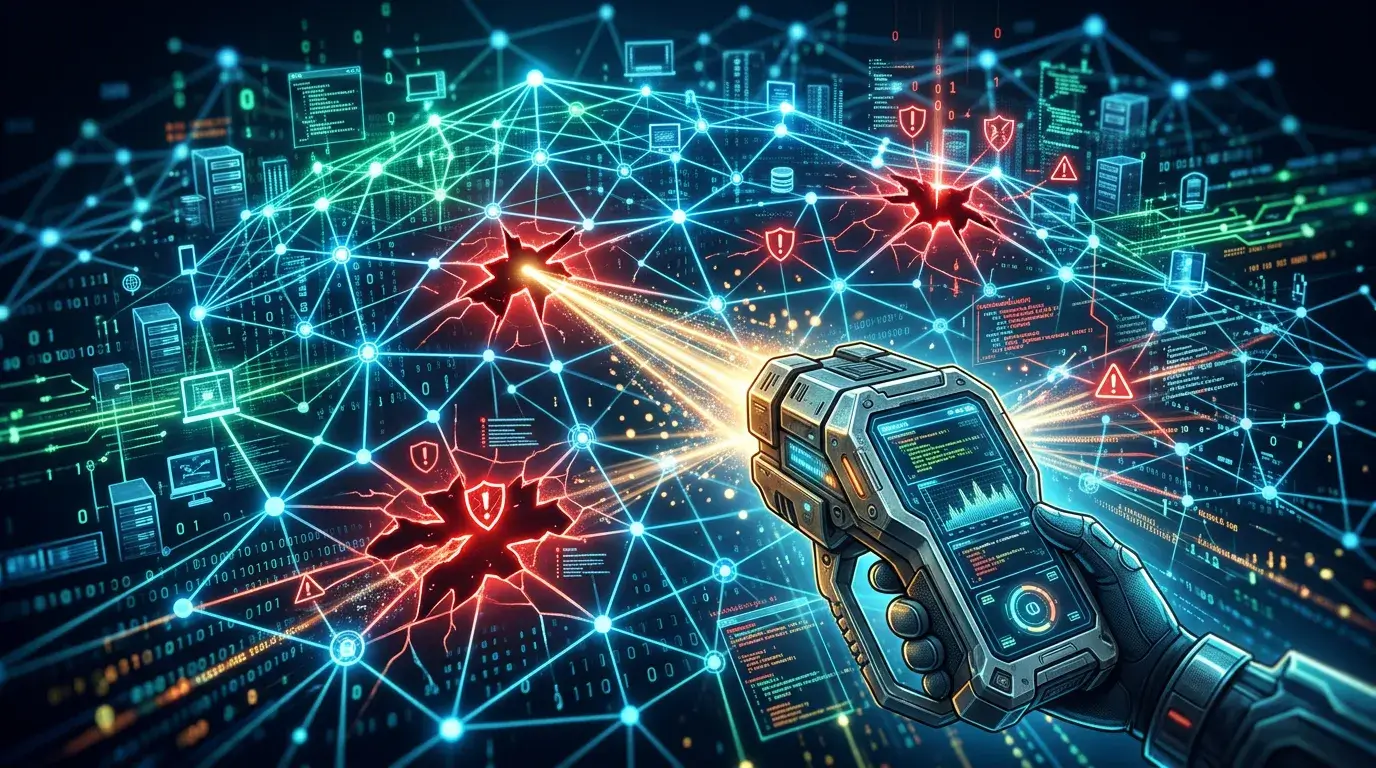
A vulnerability scanner is an automated security tool that scans your systems, networks, and applications for known weaknesses. It compares your assets against databases like the CVE catalog, assigns severity scores, and generates reports to help you prioritize and fix risks before attackers exploit them.
Security teams face a daunting reality: in 2025 alone, a record-breaking 48,185 Common Vulnerabilities and Exposures (CVEs) were published, according to Edgescan's 2026 Vulnerability Statistics Report. Threat actors weaponized new vulnerabilities within hours of disclosure. Yet for enterprises with 1,000 or more employees, 37% of discovered vulnerabilities remained unresolved within a 12-month period.
The gap between detection and remediation is wide—and expensive. High and critical application vulnerabilities took an average of 54.81 days to close in 2025. That is a large window of exposure for any organization. Vulnerability scanners exist precisely to close that gap by giving security teams a clear, structured view of where their weaknesses lie.
This guide explains what a vulnerability scanner is, how it works, how to use one effectively, and how to choose the right tool for your organization.
What exactly is a vulnerability scanner?
A vulnerability scanner is an automated security tool designed to identify, classify, and report known weaknesses across your digital infrastructure. This includes servers, workstations, network devices, cloud environments, and web applications.
The scanner compares your assets against established vulnerability databases—primarily the Common Vulnerabilities and Exposures (CVE) catalog and the National Vulnerability Database (NVD)—and assigns severity ratings using the Common Vulnerability Scoring System (CVSS). These scores help security teams distinguish between a critical flaw that needs immediate patching and a low-risk misconfiguration that can be scheduled for a later remediation cycle.
Vulnerability scanners do not exploit vulnerabilities. That is the role of penetration testing. Scanners identify and report—giving your team the intelligence needed to act.
How does a vulnerability scanner work?
At a technical level, vulnerability scanners follow a consistent process:
- Asset discovery — The scanner identifies all devices, systems, and applications within the defined scope.
- Service enumeration — It detects open ports, running services, and software versions on each asset.
- Vulnerability matching — The scanner cross-references findings against its vulnerability database to identify known weaknesses.
- Severity scoring — Each finding is assigned a CVSS score, allowing teams to prioritize by risk.
- Reporting — The tool generates a detailed report outlining identified vulnerabilities, their severity levels, and recommended remediation steps.
Authenticated scans use valid credentials to examine a system from the inside, detecting issues like missing patches and outdated software. Unauthenticated scans assess systems externally—much like an attacker without credentials—surfacing open ports and exposed services. Both approaches serve distinct purposes and are often used together for comprehensive coverage.
What are the main types of vulnerability scanners?
Different environments require different scanning approaches. The primary categories include:
- Network-based scanners — Identify weaknesses across network infrastructure, including routers, switches, and servers. Tools like Tenable Nessus and Qualys VMDR fall into this category.
- Web application scanners — Detect vulnerabilities specific to web applications and APIs, such as SQL injection and cross-site scripting. SQL Injection (CWE-89) has remained the most common critical web application vulnerability since 2022 (Edgescan, 2026). Acunetix, Burp Suite, and OWASP ZAP are widely used here.
- Agent-based scanners — Install lightweight agents directly on endpoints, enabling continuous, real-time monitoring without relying on network access. Wazuh is a prominent open-source example.
- Cloud-based scanners — Continuously scan cloud infrastructure and hybrid environments for misconfigurations and unpatched software. Qualys VMDR and Rapid7 InsightVM offer strong cloud coverage.
- Active Directory scanners — Specialize in identifying misconfigurations and privilege escalation paths within Active Directory environments. PingCastle and BloodHound are purpose-built for this use case.
How do you use a vulnerability scanner step by step?
Using a vulnerability scanner effectively requires more than simply pressing "scan." The following process reflects current best practices for structured vulnerability management:
Step 1: Define your scope
Determine which assets you will scan—specific IP ranges, web applications, cloud infrastructure, or your entire network. A clearly defined scope prevents gaps in coverage and avoids unnecessary disruption to production systems.
Step 2: Choose the right tool
Select a scanner that matches your environment. Network-heavy organizations benefit from Nessus or Qualys; web-first teams may prefer Acunetix or Burp Suite; budget-constrained teams can start with the open-source OpenVAS by Greenbone.
Step 3: Configure the scan
Decide between authenticated and unauthenticated scanning. Configure scan policies to target specific systems or risk areas. For regulated industries, align scan configurations with compliance frameworks such as PCI DSS, HIPAA, or SOC 2.
Step 4: Run the scan
Execute the scan during low-traffic periods to minimize performance impact. Some scanners allow scheduling to automate this process.
Step 5: Review and prioritize findings
Use CVE identifiers and CVSS scores to rank findings by severity. Supplement this with the CISA Known Exploited Vulnerabilities (KEV) catalog—which contained 1,484 entries by end of 2025—to identify vulnerabilities actively being exploited in the wild.
Step 6: Remediate and patch
Apply patches, update configurations, or implement compensating controls for identified vulnerabilities. Integrate with patch management tools where possible to streamline this step.
Step 7: Re-scan to verify
After remediation, run a follow-up scan to confirm that identified vulnerabilities have been resolved and no new issues have been introduced.
Step 8: Establish a regular scanning cadence
Most organizations benefit from weekly or monthly scans. Organizations subject to PCI DSS compliance are required to conduct vulnerability scans at least quarterly. Continuous scanning—offered by platforms like Qualys and Rapid7 InsightVM—provides the highest level of ongoing visibility.
How is vulnerability scanning different from penetration testing?
This distinction matters. Vulnerability scanning is automated, identifies known weaknesses, and produces a prioritized report. Think of it as a regular health check—broad, fast, and repeatable.
Penetration testing goes further. It involves security professionals—or automated tools like RidgeBot—actively attempting to exploit identified vulnerabilities to determine their real-world impact. Penetration testing is deeper and more resource-intensive. Choose vulnerability scanning for ongoing risk visibility; choose penetration testing to validate how far an attacker could actually get.
For a complete security posture, both are necessary. According to Verizon's 2025 Data Breach Investigations Report, there has been a 38% increase in exploited vulnerabilities as the initial access point for cybercriminals—making regular scanning and periodic penetration testing a non-negotiable combination.
How do you choose the right vulnerability scanner for your organization?
Several factors should guide your decision:
- Environment coverage — Does the scanner support your specific assets, including cloud, network, web applications, and endpoints?
- False positive rate — A tool that generates excessive false positives wastes remediation time. Prioritize scanners known for accuracy.
- Integration capabilities — Can the tool connect with your ticketing systems, SIEM platforms, and patch management workflows?
- Compliance reporting — If you operate in a regulated industry, ensure the scanner can generate audit-ready compliance reports.
- Scalability — Choose a tool that can grow with your organization's infrastructure without degrading performance.
For enterprises, Tenable Nessus (rated 4.5/5 on Gartner) and Qualys VMDR (rated 4.4/5 on Gartner) are consistently ranked among the strongest options. For smaller organizations or those with limited budgets, OpenVAS by Greenbone offers robust open-source capability at no licensing cost.
Start scanning before attackers do
Over 20% of internet-facing vulnerabilities discovered in 2025 were classified as critical or high severity (Edgescan, 2026). The organizations that identified and addressed these weaknesses quickly were far better positioned than those that did not.
A vulnerability scanner is the most practical first step toward a defensible security posture. It provides the structured, repeatable visibility your team needs to act decisively—before an attacker makes the decision for you.
Ready to take the next step? Assess your current vulnerability management program and identify where automated scanning can reduce your exposure today.
Frequently Asked Questions
-
What is a vulnerability scanner used for?
A vulnerability scanner is used to automatically identify known security weaknesses across networks, servers, web applications, and endpoints. It compares your assets against vulnerability databases like the CVE catalog, assigns CVSS severity scores, and generates remediation-focused reports to help security teams prioritize and address risks efficiently.
-
How often should organizations run vulnerability scans?
Most organizations should run vulnerability scans on a weekly or monthly basis. Regulated industries—such as finance and healthcare—require more frequent scanning. Organizations maintaining PCI DSS compliance must conduct vulnerability scans at least quarterly. Continuous scanning platforms offer real-time visibility for environments where risk tolerance is especially low.
-
What is the difference between a vulnerability scanner and a penetration test?
A vulnerability scanner automates the detection of known weaknesses and produces a prioritized report without attempting to exploit any finding. Penetration testing involves actively attempting to exploit vulnerabilities to assess real-world impact. Vulnerability scanning is broader and ongoing; penetration testing is deeper and periodic. Both practices are necessary for a complete security strategy.
-
Can vulnerability scanners produce false positives?
Yes. All major vulnerability scanners can produce false positives—flagging issues that are not genuine risks in your specific environment. The rate varies by tool. Proof-based scanners like Invicti are specifically designed to verify findings before reporting them, which reduces false positives significantly. Always validate critical findings before initiating emergency remediation.
-
Do vulnerability scanners impact network or system performance?
Some scanners temporarily affect performance, particularly during large authenticated scans in resource-constrained environments. Scheduling scans during off-peak hours mitigates this impact. Most enterprise-grade tools, including Nessus and Qualys, allow administrators to configure scan timing and intensity to balance thoroughness with operational continuity.
About Blue Edge
Blue Edge Company is a value-added technology distributor based in Dammam, Saudi Arabia, supplying interactive displays, smart building systems, networking infrastructure and IT security software to businesses and residential projects across the Kingdom, with installation and technical support.
Learn more about Blue Edge →Published 1 July 2026 • Last updated 23 September 2026 • This article is reviewed when standards, regulations or product guidance change.