Shopping Cart


- Articles
- Smart Buildings
- Interactive Displays vs. Traditional Whiteboards: Which Boosts Meeting Productivity?
Interactive Displays vs. Traditional Whiteboards: Which Boosts Meeting Productivity?
Compare interactive displays vs traditional whiteboards to discover which solution improves collaboration, productivity, hybrid meetings, and workplace efficiency for modern businesses.
By Blue Edge Team | Published Jul 15, 2026 | Updated Sep 23, 2026 | 7 min read
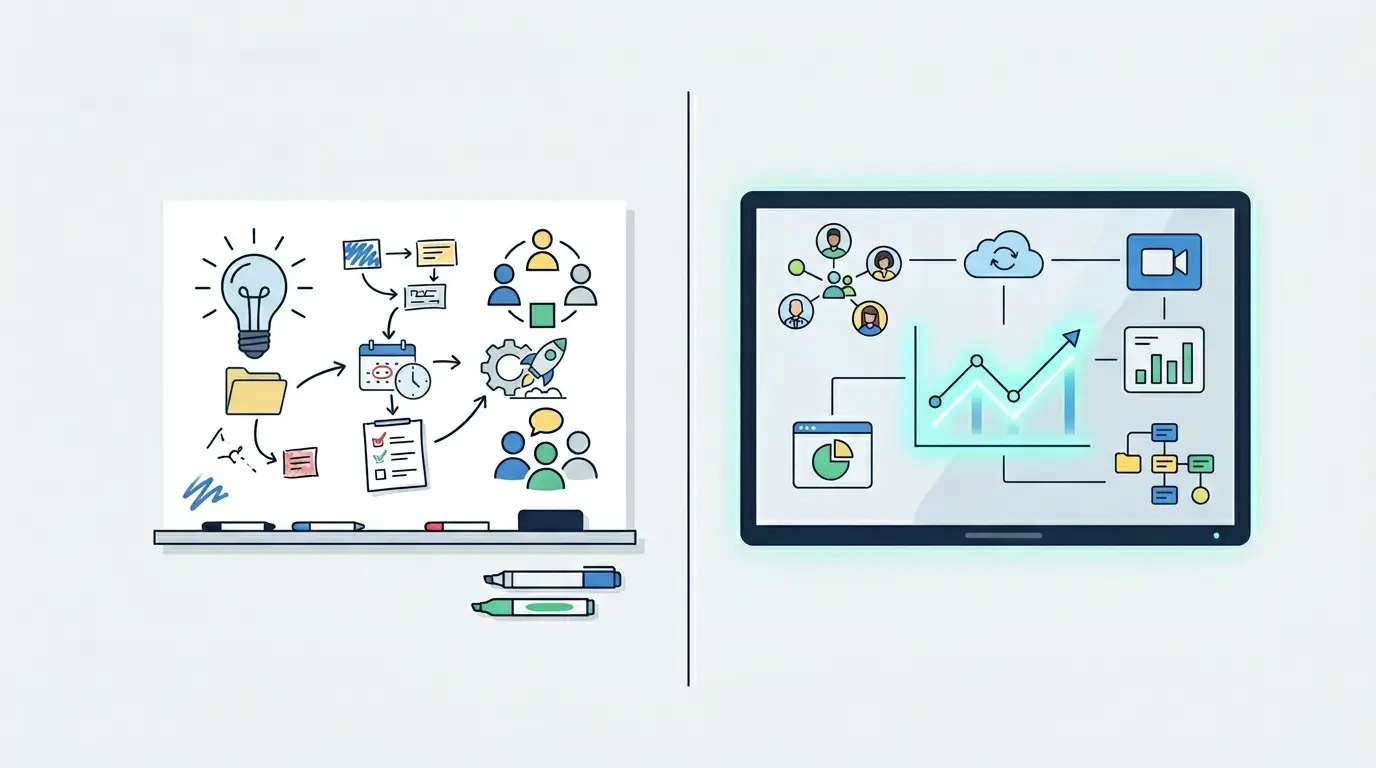
Interactive flat panel displays consistently outperform traditional whiteboards in corporate meeting environments by enabling real-time digital annotation, wireless collaboration, hybrid conferencing, and AI-powered features—all within a single device. For most enterprise meeting rooms, the switch from a traditional whiteboard to an interactive display delivers measurable productivity gains and a lower total cost of ownership over time.
Every meeting carries a cost. Multiply the hourly rates of everyone in the room, add setup delays, account for lost notes from a whiteboard that nobody photographed in time, and the inefficiency compounds fast. For IT decision-makers evaluating conference room upgrades, the choice between interactive flat panel displays and traditional whiteboards is not simply a technology preference—it is a direct operational decision with measurable consequences.
This post breaks down that decision with a feature-by-feature comparison, a clear analysis of where each technology wins, and structured guidance on which meeting environments benefit most from interactive display technology.
Feature-by-Feature Comparison: Interactive Displays vs. Traditional Whiteboards
The table below maps the critical capability differences between traditional dry-erase whiteboards and modern interactive flat panel displays (IFPDs) across the dimensions that matter most in a corporate meeting setting.
| Capability | Traditional Whiteboard | Interactive Flat Panel Display |
|---|---|---|
| Image Quality | Static marker-based content | 4K UHD; consistent clarity regardless of lighting |
| Touch Interaction | Physical writing only | Multi-point touch; pen, finger, or stylus |
| Annotation | Markers; no digital record | Real-time digital annotation; instantly saveable and shareable |
| Wireless Collaboration | Not supported | Screen mirroring from any device |
| Hybrid/Remote Support | Requires separate conferencing hardware | Built-in camera, microphone, and video platform integration |
| Content Integration | Static content only | Live web, video, apps, and cloud platforms |
| Session Documentation | Manual photography or transcription | Automatic save and distribution of all session content |
| Maintenance | Periodic marker and cleaning costs | LED-based; 50,000+ hour lifespan; no consumables |
| Energy Consumption | Minimal | Low-power LED; automatic sleep mode; under 1W in standby |
| AI Features | None | Auto-framing, noise cancellation, adaptive tools |
| Setup Time | Immediate; no configuration | Plug-and-play; wireless configuration in under 2 minutes |
| Security | No data security | AES-256 encryption for shared content |
The gap is not incremental. Interactive flat panel displays replace multiple devices—projector, whiteboard, conferencing hardware, and speakers—with a single integrated system. That consolidation alone changes the operational profile of any meeting room.
How Do Interactive Displays Improve Meeting Productivity in Practice?
Does switching to interactive displays reduce meeting setup time?
Setup friction is one of the most consistently underestimated productivity drains in corporate environments. A projector system requires cable connections, input source selection, brightness adjustment, and occasional bulb replacements—every one of which can delay a meeting start.
Modern interactive flat panel displays eliminate this entirely. Devices connect wirelessly; content mirrors from a laptop or mobile device with a single tap. According to ViewSonic, the single most cited benefit among enterprise users of interactive whiteboards is the ability to start meetings on time, without IT intervention. For organizations running multiple meetings per day across multiple rooms, that saving compounds significantly across the quarter.
How does real-time annotation change collaboration quality?
Traditional whiteboards capture ideas in the moment but offer no continuity. Content is erased, partially photographed, or simply lost between sessions. Interactive flat panel displays resolve this structurally: every annotation is saved automatically, shared digitally, and accessible after the meeting ends.
Beyond documentation, the interaction model changes. Multiple participants can annotate the same content simultaneously. A presenter can embed a live web source, annotate directly on it, and distribute the annotated version before the meeting closes. That is a qualitative shift in how decisions are documented and followed up on—a direct driver of meeting effectiveness.
Are interactive displays better than whiteboards for hybrid meetings?
Yes, for any meeting with remote participants, the gap is decisive. Traditional whiteboards are effectively invisible to remote attendees—they require a dedicated camera angled toward the board, poor resolution, and no ability to interact with the content being discussed.
Interactive flat panel displays integrate directly with Microsoft Teams, Zoom, and Google Meet. Built-in cameras and microphones ensure remote participants see the same annotated content in real time. According to data from Horion MEA, 53% of corporate boardrooms globally have already deployed interactive flat panel displays, with hybrid meeting support cited as a primary driver. As distributed teams become the norm across Saudi Arabia's expanding enterprise landscape, this capability moves from desirable to essential.
What is the total cost of ownership difference between the two?
Upfront cost favors the traditional whiteboard. A quality dry-erase board costs a fraction of an entry-level interactive flat panel display, which starts at approximately USD 1,500 and scales to USD 12,000 or more for premium 86-inch commercial-grade units (Horion MEA, 2024).
However, total cost of ownership analysis shifts the comparison considerably. Projector-based systems—commonly paired with traditional whiteboards—require bulb replacements every 2,000 to 5,000 hours. LED-based interactive flat panels carry a 50,000-hour operational lifespan with no consumable costs. Add the elimination of separate conferencing hardware, reduced IT support requirements, and the productivity value of faster meeting starts and automated documentation, and the long-term economics favor interactive displays for any organization running frequent, structured meetings.
When Does a Traditional Whiteboard Still Make Sense?
Traditional whiteboards are not without legitimate use cases. For informal brainstorming in small, co-located teams—where speed and simplicity matter more than documentation—a whiteboard delivers immediate utility without configuration. Creative environments that rely on freeform sketching without digital integration may also find the physical medium preferable for spontaneous work.
Choose a traditional whiteboard if: your team is small, co-located, and rarely needs to document or share session content with others. Choose an interactive flat panel display if any of the following are true: meetings include remote participants, session content needs to be archived or distributed, multiple devices need to share content, or IT management of conferencing setup is a recurring cost.
Which Organizations Benefit Most from Interactive Displays in Meeting Rooms?
Not every deployment context is identical. The following recommendations are based on meeting frequency, participant distribution, and documentation requirements:
- Enterprises with hybrid or distributed teams: Interactive flat panel displays are the only viable option for ensuring remote participants receive the same meeting experience as those physically present.
- Organizations with high meeting frequency: The time saved on setup, documentation, and follow-up compounds quickly across large meeting volumes.
- Industries with compliance or documentation requirements: Automatic session saving and secure content sharing addresses audit trail requirements that a traditional whiteboard cannot.
- Corporate training environments: Facilitators can annotate live materials, share them instantly, and reuse content across sessions—capabilities that significantly reduce per-session preparation time.
For organizations in Saudi Arabia operating across multiple sites in Riyadh, Jeddah, and Dammam, interactive flat panel displays provide the infrastructure for consistent meeting delivery without requiring physical redistribution of materials or separate conferencing hardware at each location.
Make the Right Decision for Your Meeting Room Infrastructure
The evidence is clear: for most corporate meeting environments, interactive flat panel displays deliver measurable productivity advantages over traditional whiteboards—faster setup, superior collaboration, hybrid meeting support, lower long-term maintenance costs, and structured documentation. The question is not whether to upgrade, but how to specify and deploy the right solution for each room type and use case.
Blue Edge for Communication and Technology (BEC), based in Dammam, Saudi Arabia, provides interactive display solutions, professional installation, and technical consultation services across the Kingdom. Our team works directly with enterprises, system integrators, and IT decision-makers to identify the right specifications, deploy at scale, and deliver ongoing support tailored to your environment.
Contact Blue Edge to arrange a technical consultation and interactive display demonstration →
Frequently Asked Questions
-
What is the primary productivity difference between an interactive display and a traditional whiteboard?
The primary difference is continuity and integration. A traditional whiteboard captures content only during the session; content is lost when erased and requires manual effort to distribute. An interactive flat panel display saves all annotated content automatically, supports wireless sharing from any device, and integrates directly with conferencing platforms—making every meeting more actionable before participants leave the room.
-
Are interactive flat panel displays suitable for small meeting rooms?
Yes. Commercial-grade interactive flat panels are available in multiple sizes. A 65-inch or 75-inch panel suits most small-to-medium meeting rooms with up to 15 participants and a viewing distance of up to 5 meters. Larger rooms or executive boardrooms typically benefit from 86-inch panels or above.
-
How do interactive displays support remote participants in hybrid meetings?
Interactive flat panel displays integrate natively with Microsoft Teams, Zoom, and Google Meet. Built-in cameras, microphones, and screen-sharing tools allow remote participants to view live annotations and presentations in real time, and to share their own content directly to the display without additional hardware.
-
What is the maintenance requirement for an interactive flat panel display compared to a projector system?
Interactive flat panel displays use LED backlighting with an operational lifespan exceeding 50,000 hours and require no consumable replacements. Projector systems typically require bulb replacements every 2,000 to 5,000 hours, along with periodic calibration and filter maintenance. Over a five-year deployment period, the maintenance cost differential strongly favors interactive displays.
-
What network infrastructure is required to deploy interactive displays in a corporate environment?
Most interactive flat panel displays support plug-and-play connectivity via HDMI, USB-C, and Wi-Fi, with no dedicated server infrastructure required. Wireless collaboration and cloud-based content sharing features require stable broadband connectivity. Organizations planning multi-room deployments should conduct a network readiness assessment before installation to ensure bandwidth supports concurrent usage across all rooms.
-
How does BEC support interactive display deployments in Saudi Arabia?
Blue Edge for Communication and Technology (BEC) provides end-to-end support across the deployment lifecycle: pre-installation site assessment, hardware specification, professional installation and configuration, user onboarding, and post-sale technical support. BEC operates across Saudi Arabia, including Riyadh, Jeddah, and Dammam, ensuring local coverage for enterprise-scale deployments.
About Blue Edge
Blue Edge Company is a value-added technology distributor based in Dammam, Saudi Arabia, supplying interactive displays, smart building systems, networking infrastructure and IT security software to businesses and residential projects across the Kingdom, with installation and technical support.
Learn more about Blue Edge →Published 15 July 2026 • Last updated 23 September 2026 • This article is reviewed when standards, regulations or product guidance change.