Shopping Cart


- Articles
- Smart Buildings
- Smart Classrooms, Smarter Workforces: How Interactive Touch Screens Are Reshaping KSA
Smart Classrooms, Smarter Workforces: How Interactive Touch Screens Are Reshaping KSA
Discover how interactive touch screens are transforming classrooms, universities, and workplaces across Saudi Arabia with smarter collaboration, hybrid learning, and digital innovation.
By Blue Edge Team | Published Jul 15, 2026 | Updated Sep 23, 2026 | 9 min read
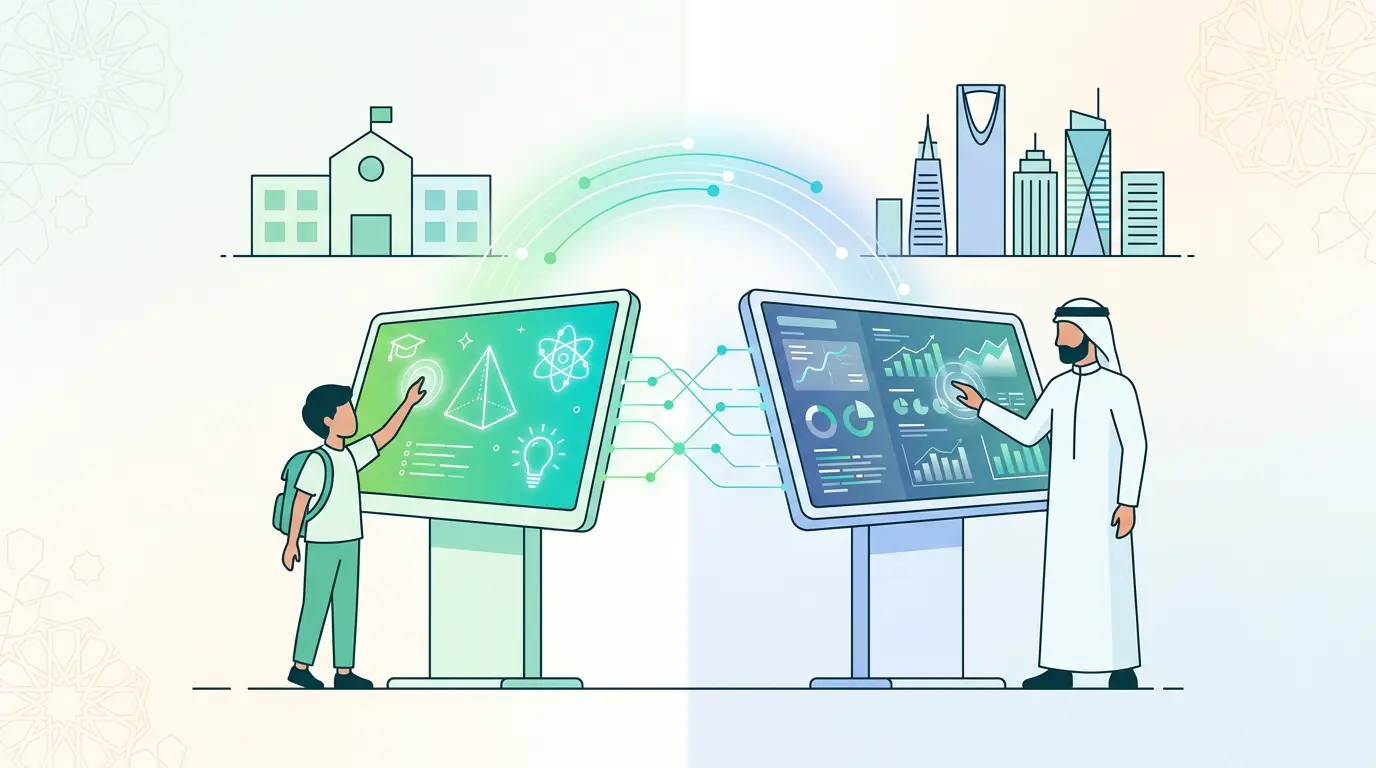
Interactive touch screens—high-resolution flat panel displays with multi-touch capability, wireless collaboration, and built-in AI tools—are rapidly replacing traditional projectors and whiteboards across Saudi Arabian schools, universities, and corporate training rooms. Backed by Vision 2030's digital education agenda and a KSA EdTech market valued at USD 2,618.6 million in 2025 (IMARC Group), interactive displays are redefining how institutions teach, train, and collaborate.
Saudi Arabia's classrooms and corporate training rooms are undergoing a measurable technological shift. The trigger is not just convenience—it's strategic necessity. Under Vision 2030, the Kingdom has committed to full digital literacy, with 40% of students already being prepared in coding, robotics, and AI. Government investment in smart classroom infrastructure is accelerating that transformation at every level, from public K–12 schools in Riyadh to corporate training facilities in Dammam and Jeddah.
At the center of this shift sits one technology: the interactive touch screen. These devices consolidate presentation, annotation, wireless collaboration, and video conferencing into a single display—eliminating the fragmented setups of projectors, physical whiteboards, and external speakers that defined the previous decade. For IT decision-makers, system integrators, and procurement leads, understanding what drives adoption—and how to evaluate the right solution—is essential.
This post examines the market context, the practical impact across classrooms and training rooms, a feature-level technology comparison, and a structured guide for selecting the right interactive display for KSA environments.
How Large Is the Interactive Display Market in KSA and Globally?
The numbers establish the scale of the transition clearly.
According to IMARC Group (2025), Saudi Arabia's EdTech market reached USD 2,618.6 million in 2025, projected to grow at an 11.77% CAGR to reach USD 7,338.8 million by 2034. Government investment in digital infrastructure—high-speed internet, smart devices, and interactive classroom equipment—is listed as a primary driver, alongside hybrid learning adoption and AI integration.
At the hardware level, Global Market Insights (February 2025) reports that the global interactive flat panel display market was valued at USD 12.6 billion in 2024 and is forecast to reach USD 25.7 billion by 2034 at a 7.5% CAGR. The education segment alone accounted for USD 3.7 billion in 2024, driven by K–12 adoption and the accelerating shift to digital classrooms.
Saudi Arabia is explicitly included as a growth market within the MENA region, alongside the UAE and South Africa—reflecting government-led digital infrastructure spending and Vision 2030's education modernization targets.
Interactive Touch Screens vs. Traditional Displays: What Actually Changes?
The operational differences extend far beyond visual quality. The table below maps the critical capability gaps between conventional classroom equipment and modern interactive touch screen systems.
| Capability | Traditional Projector & Whiteboard | Interactive Touch Screen |
|---|---|---|
| Image Quality | Variable; dependent on ambient light | 4K UHD regardless of room lighting |
| Touch Interaction | None | Multi-point touch; pen, finger, or stylus |
| Annotation | Physical markers; no digital record | Real-time digital annotation; instantly saveable |
| Wireless Collaboration | Not supported | Screen mirroring from any device |
| Hybrid/Remote Support | Requires separate conferencing hardware | Built-in camera, mic, and video platform integration |
| Content Integration | Static slides only | Live web, video, apps, and LMS platforms |
| Maintenance | Bulb replacements every 2,000–5,000 hours | LED-based; 50,000+ hour lifespan |
| Energy Efficiency | High power draw; frequent bulb costs | Low-power LED; automatic sleep mode |
| AI Features | None | Adaptive tools, auto-framing, noise cancellation |
| Setup Time | Requires calibration and cable management | Plug-and-play; wireless configuration |
The shift from a projector-whiteboard setup to an interactive flat panel is not an incremental upgrade. It changes the entire dynamic of how instruction is delivered, how participants collaborate, and how content is managed and stored.
How Are Interactive Touch Screens Transforming Classrooms in KSA?
Enabling Active Learning Rather Than Passive Reception
Traditional classroom setups position students as observers. Interactive displays change that structure. Teachers can annotate live content directly on screen, students can step up to manipulate diagrams or solve problems, and small groups can mirror their tablets to the central display for peer review. The result is a shift from lecture-based delivery to participatory learning.
For science lessons, this means rotating 3D molecular structures in real time. For history, it means embedding video footage directly within a timeline. For mathematics, it means a student working through an equation on screen while the rest of the class follows along digitally.
Vision 2030's Human Capability Development Program explicitly prioritizes critical thinking, digital literacy, and collaborative problem-solving. Interactive touch screens make those outcomes achievable within a standard lesson—not only in specialized labs.
Supporting Hybrid and Remote Learning at Scale
Saudi Arabia's Madrasati platform supported over 6 million students during the pandemic (Future Development Company, March 2025), demonstrating that digital infrastructure for remote learning was already in place. Interactive displays extend that capability into physical classrooms, enabling simultaneous in-person and remote delivery through integrated platforms like Microsoft Teams, Zoom, and Google Meet.
A teacher can conduct a lesson with students physically present while remote participants view the same annotated content and interact through the display's built-in conferencing tools. No additional hardware required. No second screen to manage.
Accelerating Integration with Educational Platforms
Modern interactive displays connect directly with LMS platforms, cloud storage, and educational software. Lesson content saved during one session can be redistributed instantly to students, shared with parents, or reused across multiple classes. Administrative tasks—attendance tracking, quiz delivery, content archiving—are streamlined within the same interface.
For institutions operating across multiple campuses, this creates consistency in lesson delivery without requiring physical redistribution of materials.
What Are the Benefits of Interactive Touch Screens in Corporate Training Rooms in KSA?
Corporate training environments carry different requirements than schools. Participants are professionals with limited session time, specific upskilling objectives, and often distributed across locations. Interactive displays address all three dimensions.
Real-time collaboration: Teams in Riyadh, Jeddah, and Dammam can participate in the same brainstorming session simultaneously. Wireless screen sharing allows each participant to present directly from their own device without cable connections or configuration delays.
Digital annotation and documentation: Facilitators can annotate presentations, flowcharts, and process diagrams in real time. All annotations are saved and distributed automatically—eliminating the need for a note-taker or post-session transcription.
Structured hybrid delivery: Corporate training increasingly spans in-person and remote participants within the same session. Interactive displays integrate directly with enterprise conferencing platforms, ensuring that remote participants see live annotations, presentations, and whiteboard content in real time.
AI-enhanced delivery: Built-in AI tools handle auto-framing of the presenter for remote participants, background noise cancellation, and adaptive content rendering. Trainers focus on the session rather than the technology.
These capabilities reduce per-session preparation time, improve knowledge retention across participant groups, and extend the reach of training programs without proportionally increasing cost.
How to Select the Right Interactive Touch Screen for KSA Schools and Training Rooms
Not every deployment has the same requirements. The following comparison maps solution characteristics to environment type, helping procurement teams identify the right specification for each use case.
| Selection Factor | Classroom (K–12 / University) | Corporate Training Room | Large Auditorium / Conference Hall |
|---|---|---|---|
| Recommended Screen Size | 75"–86" | 75"–86" | 100"+ |
| Resolution | 4K UHD | 4K UHD | 4K UHD |
| Touch Points | 20+ (multi-student interaction) | 10–20 (collaborative annotation) | 10 (presenter-led) |
| Software Integration | Google Workspace, LMS platforms | Microsoft Teams, Zoom, enterprise apps | AV systems, conferencing platforms |
| AI Features | Adaptive learning tools | Auto-framing, noise cancellation | Speaker tracking |
| Wireless Collaboration | Student device mirroring | Multi-device screen sharing | Presenter sharing |
| Connectivity | HDMI, USB-C, Wi-Fi | HDMI, USB-C, Bluetooth, Wi-Fi | Full AV integration |
| Durability | Anti-glare, scratch-resistant glass | Commercial-grade | Commercial-grade |
| OS Compatibility | Android + Windows | Android + Windows | Android + Windows |
Selection guidance: Choose a 75" panel for standard-sized classrooms and training rooms with up to 30 participants. Specify 86" for larger groups or where visibility beyond 6 meters is required. Reserve 100"+ panels for lecture halls, auditoriums, and executive briefing centers where high-density seating demands maximum coverage.
What Are the Key Challenges KSA Institutions Should Anticipate Before Deploying Interactive Displays?
Successful deployments depend on preparation, not only hardware. Institutions and IT decision-makers should account for the following:
- Teacher and trainer upskilling: Interactive displays are only as effective as the people using them. Deployment without structured training leads to underutilization. Prioritize onboarding sessions and ongoing support from the technology partner.
- Network infrastructure readiness: Wireless collaboration and cloud-based LMS integration require stable, high-bandwidth connectivity. Verify network infrastructure capacity before deployment, particularly for multi-room rollouts.
- Content compatibility: Existing lesson materials and training content may require reformatting for interactive delivery. Build a content migration timeline into the project plan.
- Budget structuring: Higher upfront investment in commercial-grade panels is offset by significantly lower maintenance costs compared to projector-based systems—no bulb replacements, lower energy consumption, and longer operational lifespans. Total cost of ownership analysis should drive procurement decisions.
- Vendor support coverage: In KSA, verify that the selected vendor or distributor provides local installation, configuration, and post-sale technical support across your operating cities. Remote-only support is insufficient for enterprise-scale deployments.
The Case for Acting Now: Vision 2030 Is Creating a Narrow Window
Saudi Arabia's institutional technology modernization is accelerating. Schools and corporate organizations that delay interactive display adoption risk falling behind a peer group that is already building digital-native learning environments. The KSA EdTech market is on track to nearly triple in size by 2034 (IMARC Group). Supply of qualified installation partners, government co-investment programs, and institutional readiness are all aligned at this moment.
The organizations that move early establish the operational baseline—trained staff, integrated infrastructure, and platform familiarity—that compounds in value as the technology evolves. Those who wait inherit both the catch-up cost and the institutional inertia of delayed adoption.
Blue Edge for Communication and Technology (BEC) provides interactive display solutions, professional installation, and technical consultation services across Saudi Arabia. Our team works directly with schools, universities, training centers, and enterprises to identify the right specification, deploy at scale, and provide ongoing support tailored to KSA environments.
Contact Blue Edge to arrange a technical consultation and interactive display demonstration →
Frequently Asked Questions
-
What is an interactive touch screen, and how does it differ from a smart board?
An interactive touch screen is a large-format, touch-enabled digital display that combines presentation, annotation, wireless collaboration, and conferencing into a single device. The term "smart board" typically refers to earlier-generation interactive whiteboards that required a projector. Modern interactive flat panel displays are self-contained, require no projector, and deliver 4K resolution with multi-touch responsiveness and AI-powered features.
-
Are interactive touch screens suitable for both Arabic and English language classrooms in KSA?
Yes. Leading interactive display platforms support multilingual interfaces, including full Arabic language compatibility for menus, annotation tools, and integrated software. Verify language support with your vendor before specifying a model for Arabic-medium instruction environments.
-
What screen size is appropriate for a standard Saudi school classroom?
For classrooms with up to 30 students and a viewing distance of up to 6 meters, an 86-inch interactive flat panel delivers adequate visibility and interaction space. Smaller rooms with 15–20 students can operate effectively with a 75-inch panel. Larger lecture halls and auditoriums require 100-inch panels or multi-display configurations.
-
How do interactive displays support hybrid learning environments in KSA?
Interactive touch screens integrate directly with conferencing platforms such as Microsoft Teams, Zoom, and Google Meet. Built-in cameras, microphones, and screen-sharing tools allow teachers and trainers to deliver content simultaneously to in-person and remote participants, with live annotations visible to all parties in real time.
-
What is the typical lifespan of an interactive flat panel compared to a projector?
Commercial-grade interactive flat panels operate for 50,000 hours or more before any significant degradation in display quality—equivalent to over 20 years of standard classroom use. Projectors typically require bulb replacements every 2,000–5,000 hours and carry significantly higher ongoing maintenance costs. Total cost of ownership strongly favors interactive displays over multi-year deployments.
-
Do interactive touch screens require specialized IT infrastructure to deploy in KSA institutions?
Most modern interactive flat panels support plug-and-play connectivity via HDMI, USB-C, and Wi-Fi, with no dedicated server infrastructure required. Cloud-based LMS integration and wireless collaboration features do require stable broadband connectivity. Institutions should conduct a network readiness assessment before multi-room deployment to ensure bandwidth meets concurrent usage requirements.
-
What support should KSA institutions expect from an interactive display technology partner?
A qualified technology partner should provide pre-deployment site assessment, hardware installation and configuration, educator or trainer onboarding, and ongoing post-sale technical support. Local support coverage across KSA cities—including Riyadh, Jeddah, and Dammam—is essential for enterprise-scale deployments. Remote-only support arrangements are not adequate for institutions operating across multiple sites.
About Blue Edge
Blue Edge Company is a value-added technology distributor based in Dammam, Saudi Arabia, supplying interactive displays, smart building systems, networking infrastructure and IT security software to businesses and residential projects across the Kingdom, with installation and technical support.
Learn more about Blue Edge →Published 15 July 2026 • Last updated 23 September 2026 • This article is reviewed when standards, regulations or product guidance change.