Shopping Cart


- Articles
- Enterprise Communication
- Meeting Room Camera and Microphone Kit for Dahua Whiteboards
Meeting Room Camera and Microphone Kit for Dahua Whiteboards
Pair the Dahua DHI-PKC-UC12D conference camera with the DHI-PKC-WM1A speakerphone: how the kit works, where it goes and which whiteboards need it.
By Blue Edge Team | Published Oct 07, 2026 | Updated Oct 07, 2026 | 11 min read
Quick answer
For a Dahua whiteboard without its own camera or microphones, pair the DHI-PKC-UC12D conference camera with the DHI-PKC-WM1A speakerphone. The camera adds 12× optical zoom, auto-framing and voice tracking, while the WM1A picks up voices up to 6 m away in every direction, and a second unit can be cascaded for longer tables.
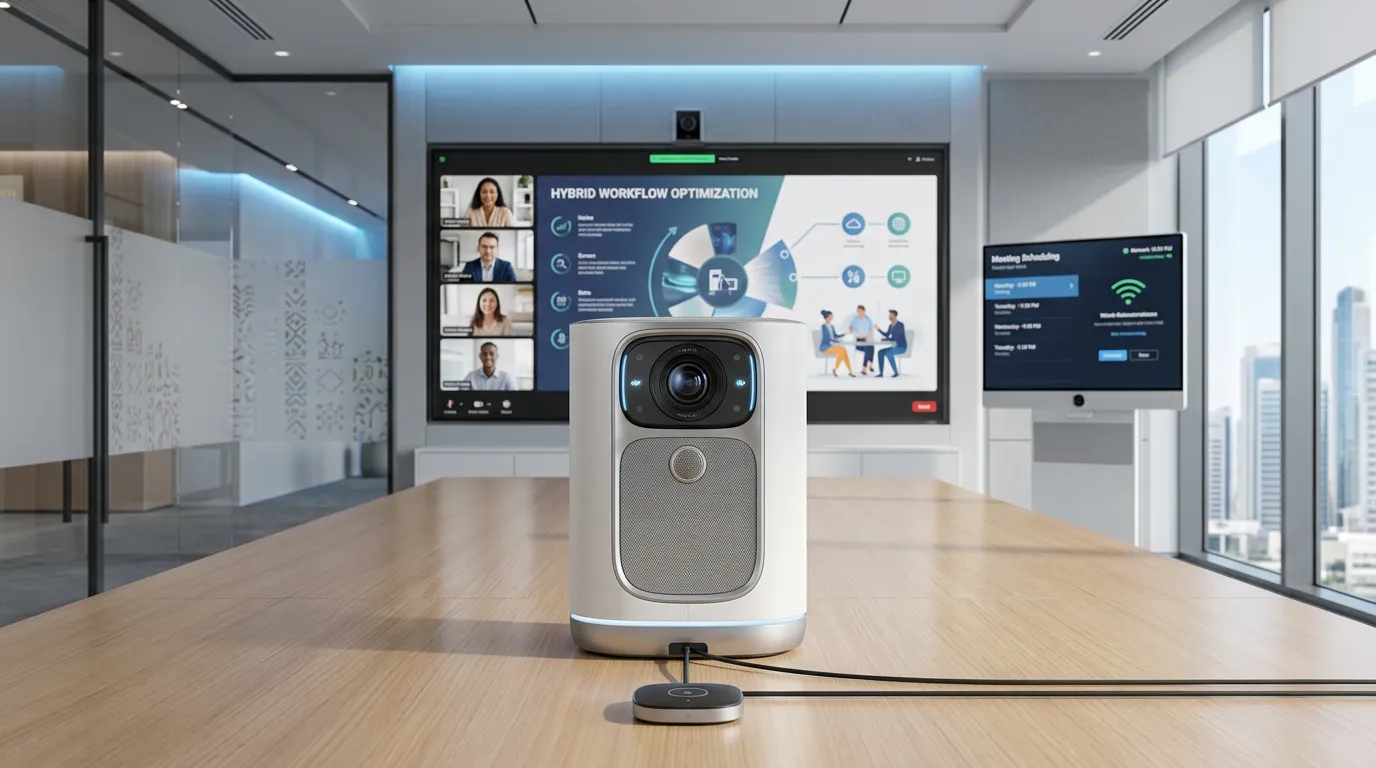
Many Dahua whiteboards are bought for teaching and presenting, and the room only later needs to join video calls. The DeepHub ST470-L-S2, for example, has built-in speakers but no camera or microphone, so the first hybrid meeting often runs on a laptop webcam pointed at the nearest person while the far end of the table goes unheard.
A proper conference camera and microphone fix that, but only when they are chosen and placed as one system. If you are planning the whole room, start with our guide to video conferencing set-up for Saudi meeting rooms. This guide explains what the PKC-UC12D and PKC-WM1A each do, how they work together, which rooms need them, and the mistakes that cost most to fix.
What is in a meeting room camera and microphone kit?
The kit pairs a camera that follows the conversation with a speakerphone that hears the whole table, both connecting over USB to the computer that runs the meeting. Blue Edge's kit for Dahua whiteboards combines two parts:
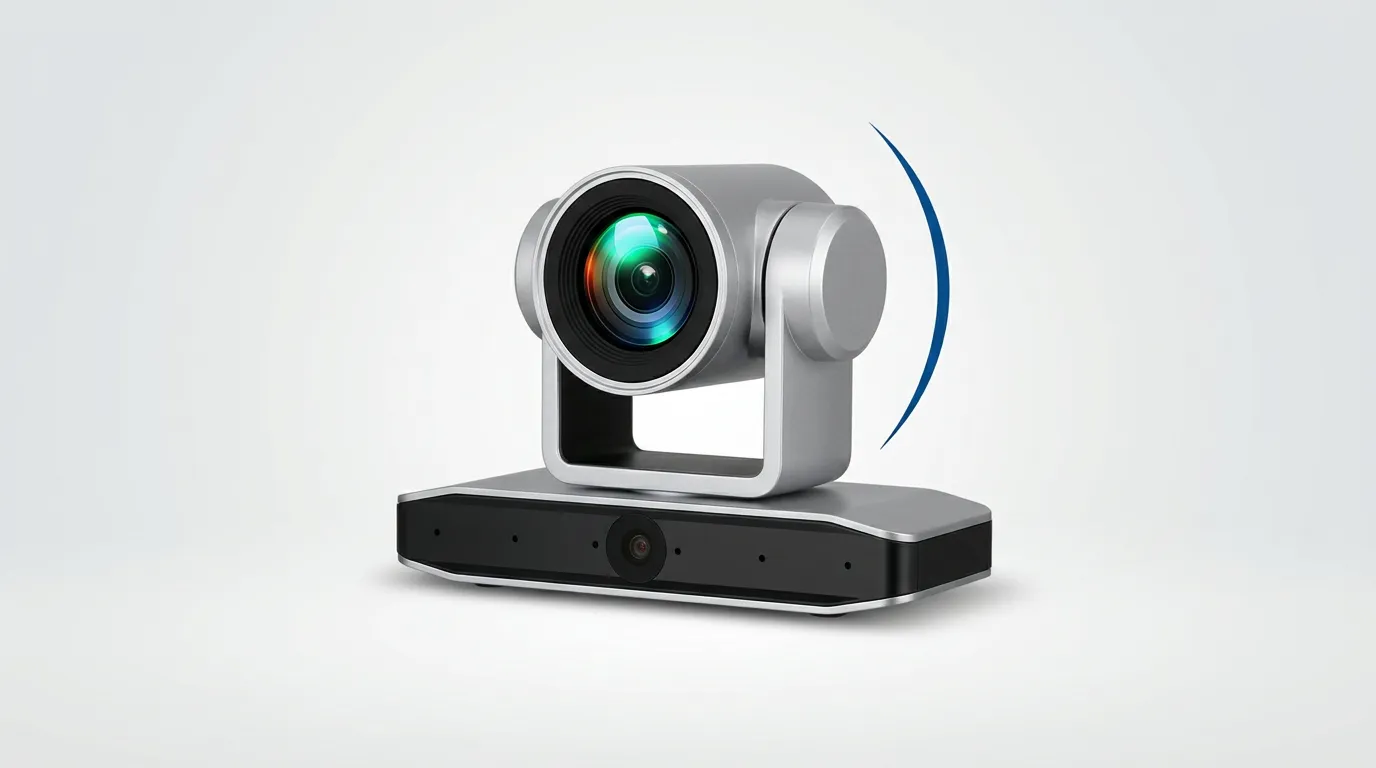
- Camera: the DHI-PKC-UC12D, a PTZ conference camera with 12× optical zoom plus 15× EPTZ, 4K over HDMI and up to 1080p at 30 fps over USB 3.0.
- Tracking: the camera frames participants with face detection and uses six built-in microphone arrays to find and follow whoever is speaking.
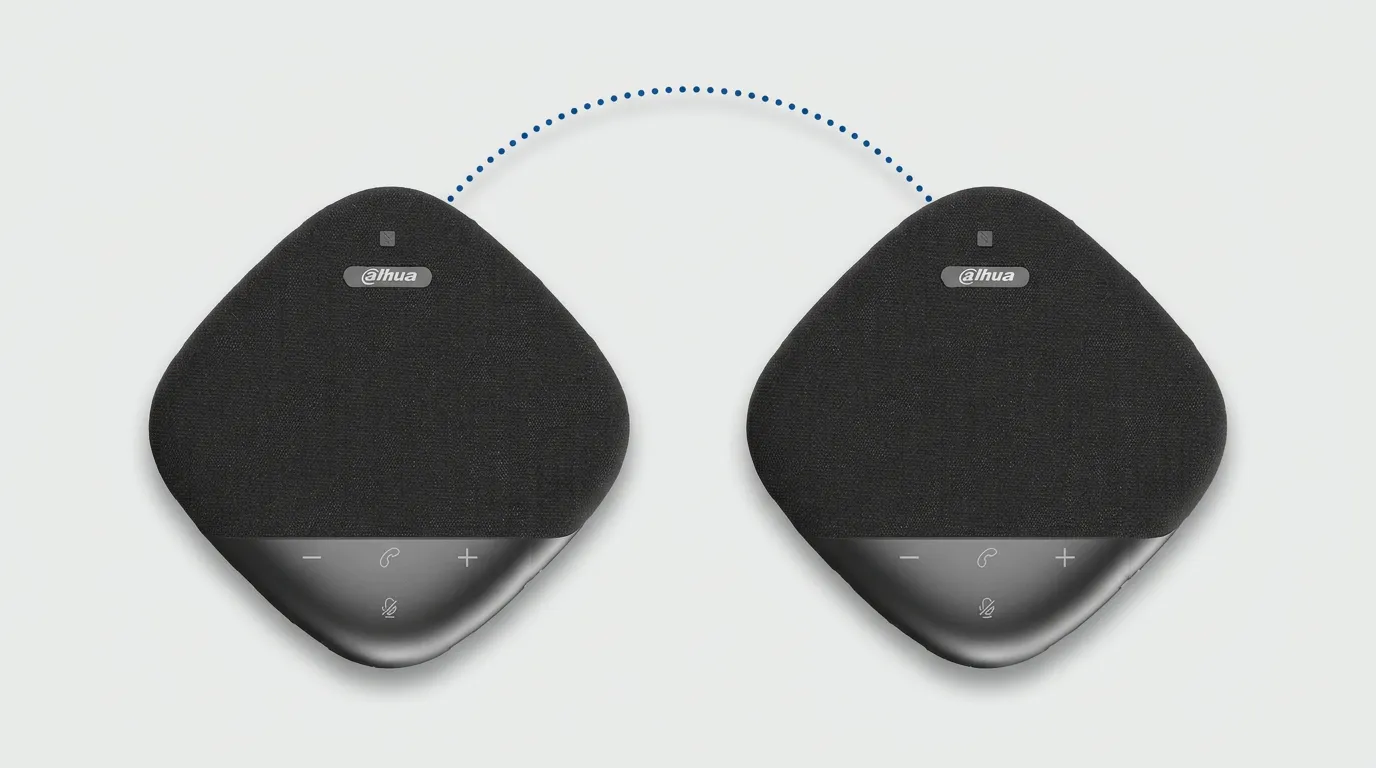
- Speakerphone: the DHI-PKC-WM1A, with eight omnidirectional microphones that pick up voices through 360° and up to 6 m away.
- Connections: the camera outputs over USB 3.0, HDMI and a network port, and the speakerphone connects by USB-C cable, Bluetooth 5.3 or its USB Bluetooth receiver.
- Power: the camera runs from a 12 V DC adapter at under 12 W, while the speakerphone lasts up to 8 hours on battery or runs from USB-C.
Is the DHI-PKC-UC12D just a webcam?
No. It is a motorised PTZ conference camera that pans 110° either way and tilts 30° up or down on quiet stepper motors. It stores up to 255 preset positions, 10 of them on the supplied remote, and at 1.7 kg it needs a shelf or bracket rather than a clip.
Is the DHI-PKC-WM1A a microphone or a speakerphone?
Both. Dahua lists it as an omnidirectional digital microphone, but its USB-C port carries audio in both directions and its battery is rated for 8 hours at maximum call volume, so it plays the far end's voice as well as picking up the room. Two units can be cascaded wirelessly for a longer table.
How do the PKC-WM1A and PKC-UC12D work together?
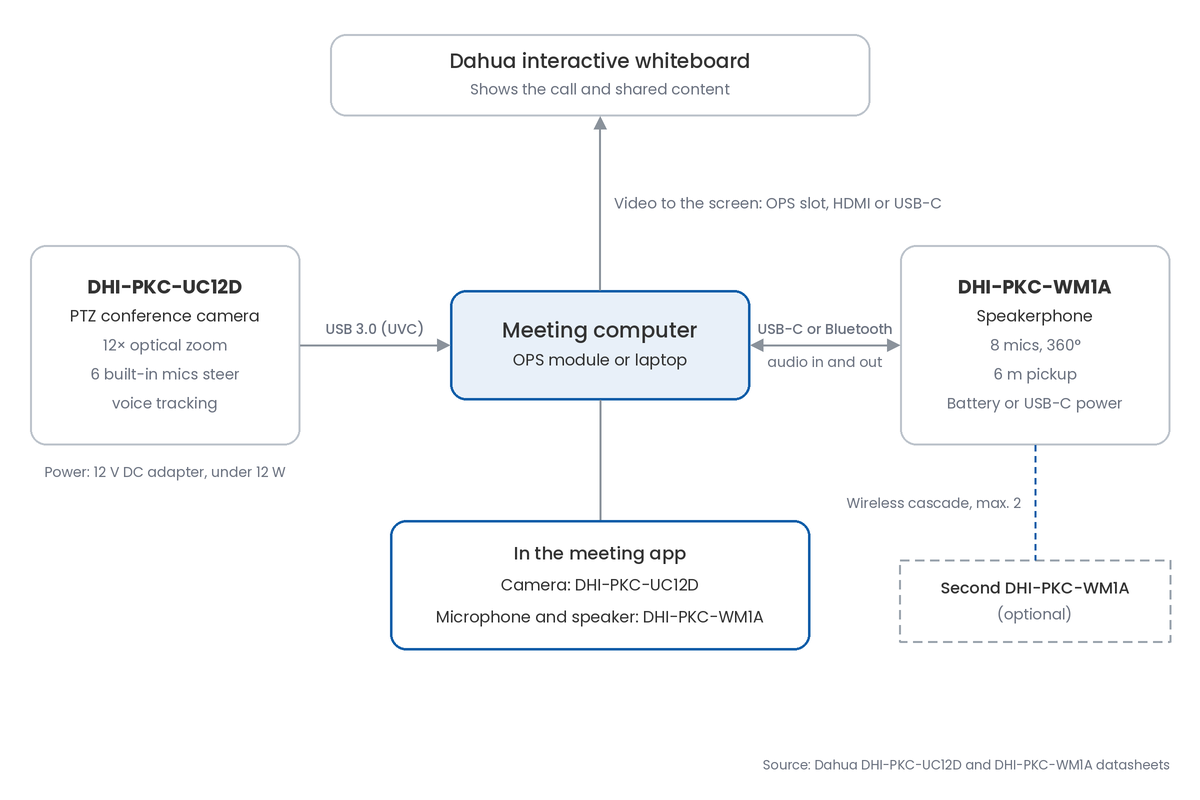
They split the job: the camera handles the picture and works out who is talking, while the speakerphone carries the conversation in both directions. Each one connects separately to the same meeting computer.
How do they connect to the whiteboard?
Both plug into the computer that runs the meeting, and the whiteboard shows the call. On a Windows OPS module or a laptop, the UC12D connects by USB 3.0 as a standard UVC camera and the WM1A by its USB-C cable or USB Bluetooth receiver; [NEED: confirm whether DeepHub Meeting on the whiteboard's built-in Android system recognises the UC12D and WM1A, or whether an OPS module or laptop is required]. In the meeting app, choose the UC12D as the camera and the WM1A as the microphone and speaker.
Which device decides where the camera points?
The camera does. Its six built-in microphone arrays locate the active speaker for voice tracking, so the WM1A can sit wherever it hears the table best rather than next to the camera.
Should call audio play through the WM1A or the whiteboard?
Start with the WM1A as both microphone and speaker, which keeps the voices going in and out of the room on one device, the usual way to keep echo down with a speakerphone. In larger rooms, test the whiteboard's own speakers, such as the ST470-L-S2's two 20 W units, with the WM1A as the microphone before deciding.
How do built-in and add-on set-ups compare?
A whiteboard without a camera or microphones needs the full kit for calls, while a model with both built in rarely does. Dahua's datasheet for the DeepHub ST470-L-S2 series lists two 20 W speakers but no camera or microphone, while the DeepHub Pro MC470-P has both.
| Factor | ST470-L-S2 alone | ST470-L-S2 with UC12D and WM1A | MC470-P built in |
|---|---|---|---|
| Camera | None listed | 4K PTZ conference camera | Built-in camera, 8 MP video |
| Zoom | None | 12× optical plus 15× EPTZ | Up to 9× digital |
| Pan and tilt | None | ±110° pan, ±30° tilt | None listed |
| Microphones | None listed | 8 mics, 360°, 6 m per unit | 16-mic array, 8–12 m |
| Speaker tracking | None | Voice tracking and auto-framing | Voice tracking and auto-framing |
| Extra installation | None | Camera socket and USB 3.0 run | None |
| Best for | Teaching without calls | Hybrid classrooms and meeting rooms | Standard meeting rooms with calls |
Key takeaway
For most buyers, the deciding question is whether the whiteboard already has a camera and microphones. An ST470-L-S2 needs the UC12D and WM1A before it can host a proper video call, while an MC470-P is call-ready out of the box and at most needs a WM1A on a long table.
Do you need the kit if your whiteboard has a built-in camera?
Usually not. The MC470-P's built-in 16-mic array is rated for 8 to 12 m, and its datasheet lists the WM1A as an optional accessory, which suits long tables where the far seats sit beyond the board's own pickup.
How do you plan the kit for your room?
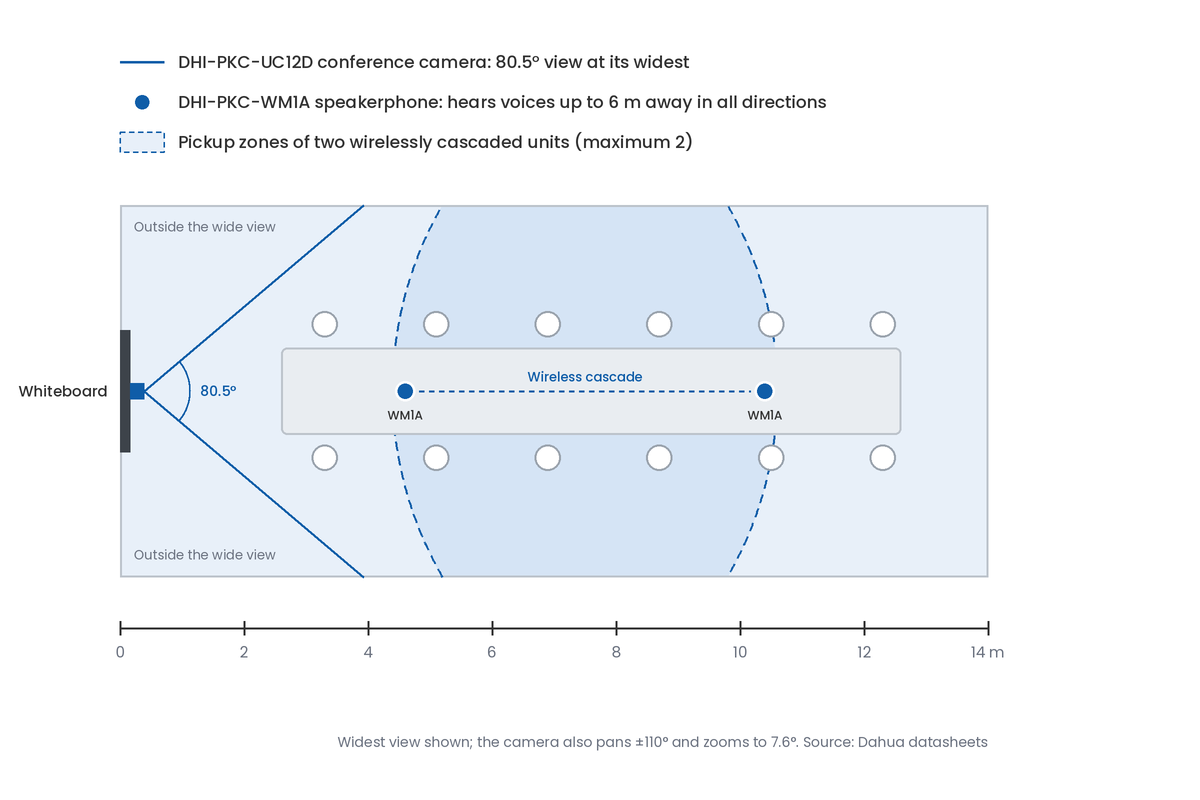
Measure the table first, because the speakerphone's 6 m pickup and the camera's 80.5° wide view decide where each one goes. These are the numbers to plan with:
- Pickup: each WM1A hears voices up to 6 m away in all directions, so place it where every seat it serves is within 6 m.
- Second unit: cascade a second WM1A wirelessly when seats fall outside one unit's reach; two is the maximum.
- Camera view: the UC12D sees 80.5° horizontally at its widest, narrowing to 7.6° at full optical zoom.
- Camera movement: it pans ±110° and tilts ±30°, so one camera at the front can reach most of a room.
- Power: the camera needs a mains socket for its 12 V adapter, while the WM1A runs up to 8 hours on battery.
Where should the camera go?
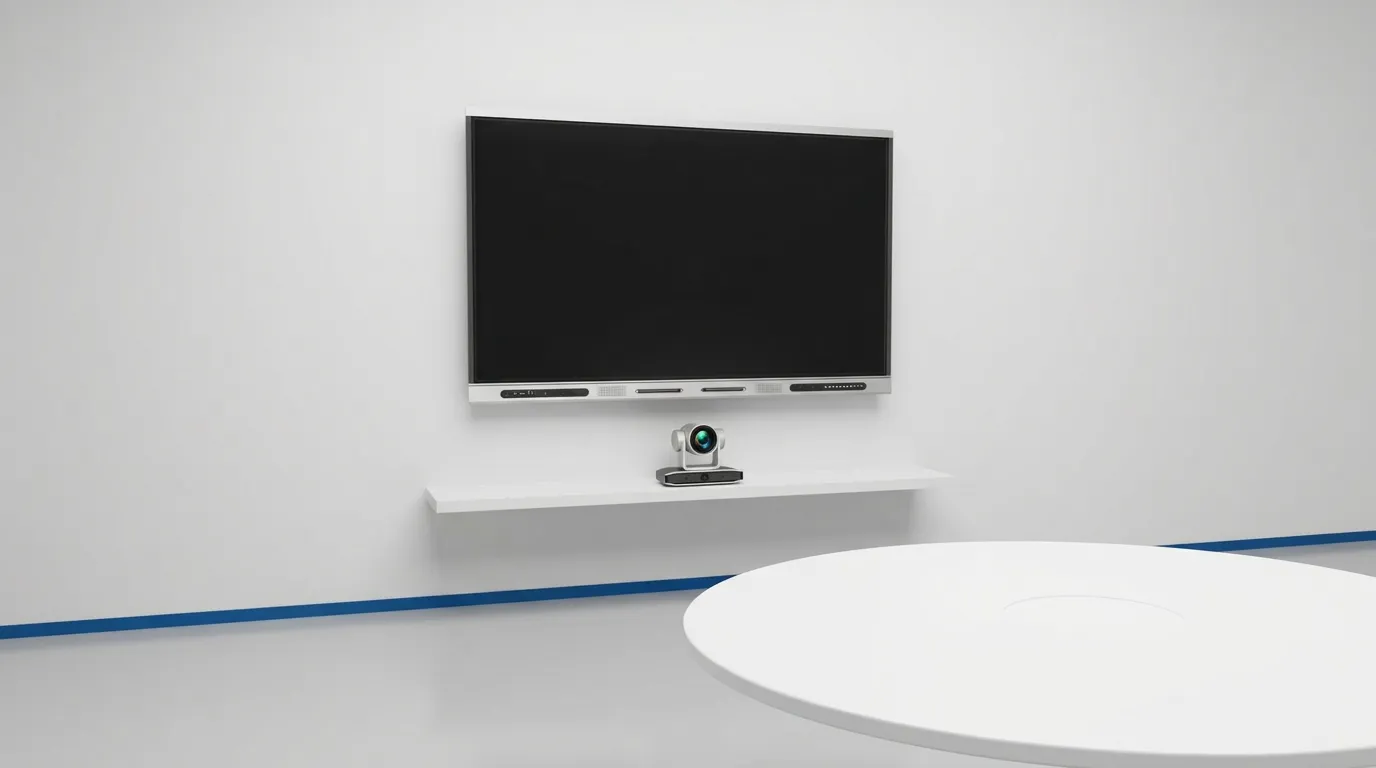
Centre it just above or below the whiteboard, close to the eye level of seated participants, so remote viewers see faces rather than the tops of heads. If it has to go on a ceiling or upside down on a bracket, its built-in gravity sensor flips the image automatically.
Can the camera see seats beside the whiteboard?
Not at first. At 80.5°, the wide view starts narrow, so a camera centred on a 6 m wide room only covers the full width from about 3.5 m out; keep the first seats back from the screen, or store a preset that pans to them.
What do Saudi meeting rooms and classrooms need to consider?
Four local factors shape how the kit is set up: seating, heat, privacy and support. None of them shows up on a spec sheet.
Does the kit suit majlis-style seating?
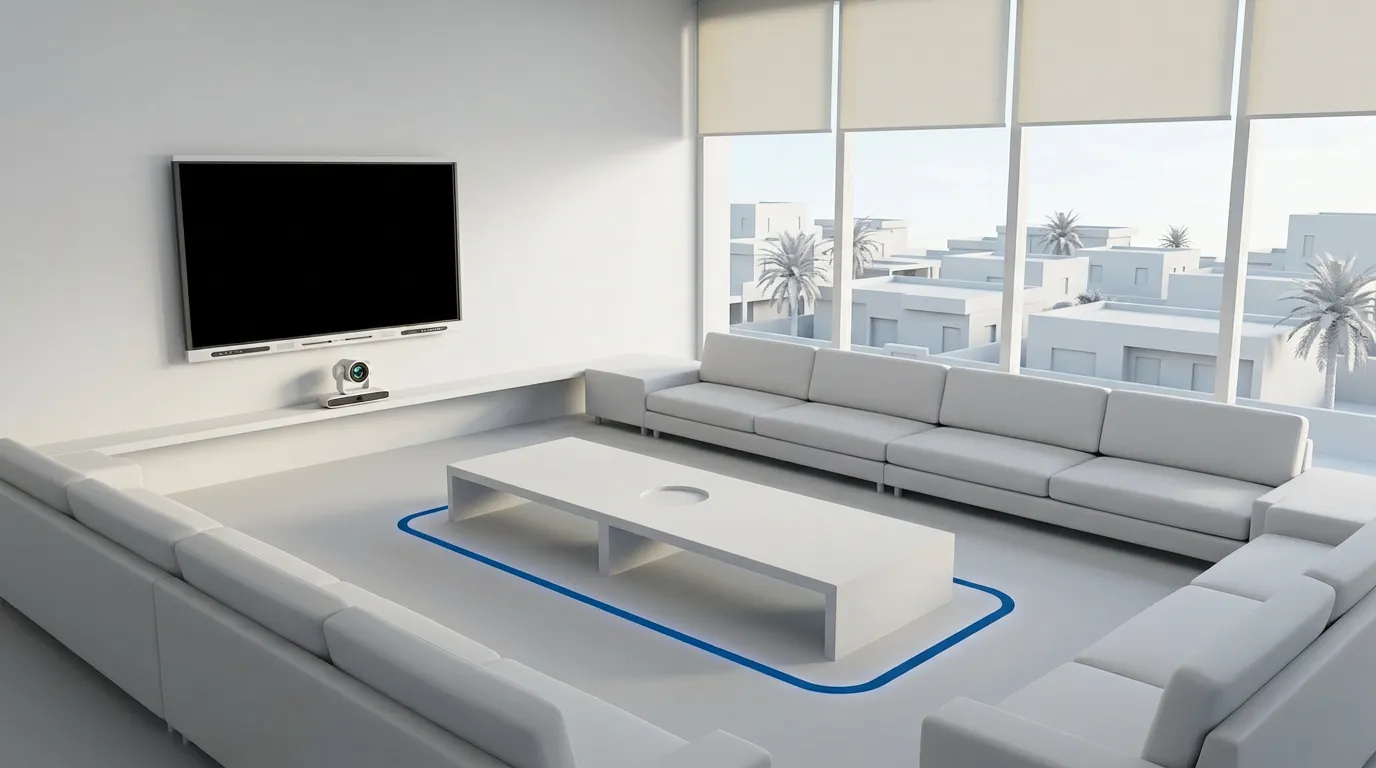
Yes, better than most front-facing set-ups. The WM1A picks up through 360° rather than from one direction, and the UC12D pans 110° either way with up to 255 presets, so a perimeter majlis layout works with a central speakerphone and a preset for each seating side, as long as every seat is within 6 m of a WM1A.
How should the kit handle heat?
Keep the WM1A in a cooled room, and out of parked cars or sunlit window ledges between sessions, because Dahua rates it for operation from 0 °C to 40 °C and storage up to 60 °C. The camera is rated for indoor use from −10 °C to 50 °C.
What does PDPL mean for a meeting room camera?
A camera that records or streams identifiable people processes personal data, so Saudi Arabia's Personal Data Protection Law applies to recordings and to where they are stored. Tell participants when a session is recorded, and park the camera on a preset aimed away from the seating, or let it sleep, when the room is not in a call; our guide to Saudi Arabia's PDPL covers the wider obligations.
What should you ask about warranty and spares?
Ask who handles warranty claims inside the Kingdom, and whether spare power adapters and remote controls are stocked locally. The camera cannot run without its 12 V adapter, so a lost or failed one takes the room off calls until it is replaced.
Blue Edge Company, founded in 2016 and based in Dammam in the Eastern Province, is a value-added technology distributor and an authorised Dahua Technology distributor in Saudi Arabia for interactive displays and meeting-room accessories. It supplies the UC12D and WM1A through its Dahua whiteboard accessories range, alongside Dahua interactive displays, and provides IT installation and configuration for projects across Saudi Arabia.
What are the most common camera and microphone kit mistakes?
Most of the expensive mistakes are made before the kit arrives. They are listed worst first.
- Buying a whiteboard without checking for a camera and microphones. If the room needs calls and the model has neither, the kit becomes an unplanned second purchase after installation.
- Putting the speakerphone at the end of the table. Seats more than 6 m away fall outside its pickup, so the far end goes unheard until the unit is moved or a second one is bought.
- Forgetting the camera's power and cabling. The UC12D needs a mains socket for its 12 V adapter, and its packing list includes no USB cable or mounting bracket, so missing any of them delays go-live.
- Mounting the camera high on the wall. A camera well above the screen looks down on the table, so remote participants see the tops of heads, and moving it after the wall is finished means a second visit.
- Leaving presets unset. Without stored views for the table, the whiteboard and each seating area, someone has to steer the camera live in every meeting.
Measure the room, then order the kit
Start with the whiteboard's datasheet. If it lists no camera or microphones and the room will host calls, plan the UC12D and WM1A as part of the room rather than as an afterthought.
Next, mark the table on a floor plan and place a WM1A so every seat is within 6 m, adding the second unit only if seats fall outside that circle. Then fix the camera position at the screen and check that the widest seats sit inside its 80.5° view.
Finally, book the mains socket, the USB 3.0 run and a bracket or shelf before installation day, and set presets once the room is furnished. Test a full call with a remote participant before handover.
Key Takeaways
- The kit pairs the DHI-PKC-UC12D PTZ conference camera with the DHI-PKC-WM1A speakerphone.
- The camera steers itself with its own six microphones, while the WM1A carries the call audio in both directions.
- Whiteboards without a camera or microphones, such as the ST470-L-S2, need the kit for video calls; the MC470-P has both built in.
- Place each WM1A within 6 m of every seat it serves, and cascade a second unit for longer tables.
- Plan a mains socket, a USB 3.0 run and a bracket for the camera, since none of them comes with it.
- In Saudi rooms, cover majlis seating with presets, keep the speakerphone out of the heat and treat recordings as personal data under PDPL.
Frequently Asked Questions
-
Can the DHI-PKC-UC12D be mounted on a ceiling?
Yes. Its built-in gravity sensor detects when the camera is upside down and flips the image automatically, which Dahua says simplifies installation. The packing list includes no ceiling or wall bracket, so order the mount separately and make sure it can carry the camera's 1.7 kg.
-
Does the DHI-PKC-WM1A work wirelessly?
Yes. It connects over Bluetooth 5.3 with an operating distance of 10 m, either directly or through the USB Bluetooth receiver in the box, and runs up to 8 hours at maximum call volume on its 4,400 mAh battery. It charges through its USB-C port at 5 V and 2 A.
-
Can the UC12D feed a second screen or a recorder?
Yes. Besides USB 3.0, the camera has an HDMI output that carries 4K at up to 30 frames per second, so the same picture can go to a second display or a recorder. It also has a network port, and an RS-232 port for room control systems.
-
How do you steer the camera during a meeting?
With the supplied remote, which recalls 10 of the camera's up to 255 preset positions, or automatically through auto-framing and voice tracking. Room control systems can also drive it over RS-232 using the VISCA protocol. Store presets for the whiteboard, the table and each seating area before the first meeting, so each change of view takes one button press.
-
Does the camera use power when the room is empty?
Very little. The UC12D has a sleep mode that cuts consumption to under 400 mW, against up to 12 W in use, and the WM1A can rest on its battery or stay on USB-C power between sessions. Letting the camera sleep also stops it pointing at an empty room for hours.
Sources & References
- Dahua — DHI-PKC-UC12D datasheet (Rev 002.000, 2025), hosted on the Blue Edge product page vendor documentation
- Dahua — PKC-UC12D USB camera, interactive whiteboard accessories vendor documentation
- Dahua — DHI-PKC-WM1A Omnidirectional Digital Microphone datasheet (Rev 002.000, 2023), hosted on the Blue Edge product page vendor documentation
- Dahua — DHI-LPH65/75/86-ST470-L-S2 smart interactive whiteboard datasheet, hosted on the Blue Edge product page vendor documentation
- Dahua — DHI-LPH86-MC470-P smart interactive whiteboard datasheet (Rev 002.000, 2025), hosted on the Blue Edge product page vendor documentation
Planning video calls on a Dahua whiteboard?
Blue Edge supplies the DHI-PKC-UC12D conference camera, the DHI-PKC-WM1A speakerphone and Dahua DeepHub whiteboards, and installs them for projects across Saudi Arabia.
Call or WhatsApp +966 53 9855 188, send your room plan through the contact page, or browse Dahua whiteboard accessories.
About Blue Edge
Blue Edge Company is a value-added technology distributor based in Dammam, Saudi Arabia, supplying interactive displays, smart building systems, networking infrastructure and IT security software to businesses and residential projects across the Kingdom, with installation and technical support.
Learn more about Blue Edge →Published 7 October 2026 • Last updated 7 October 2026 • This article is reviewed when standards, regulations or product guidance change.