Shopping Cart


- Articles
- Enterprise Communication
- What Is an OPS Module and Do You Need One?
What Is an OPS Module and Do You Need One?
An OPS module adds a slot-in Windows PC to an interactive display. See when you need one and how the Dahua DHI-SP-PI5C82IS and DHI-SP-PI7C75IS compare.
By Blue Edge Team | Published Oct 07, 2026 | Updated Oct 07, 2026 | 11 min read
Quick answer
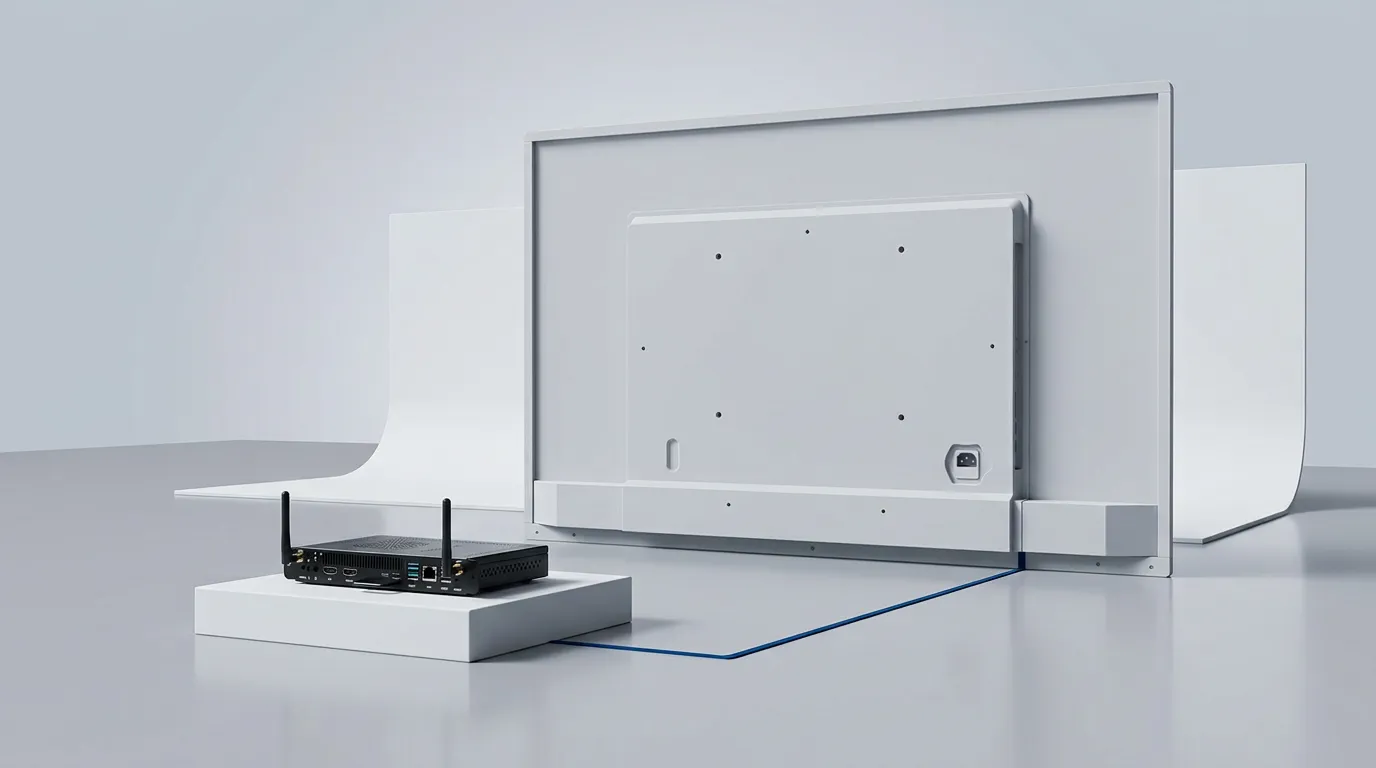
An OPS module is a slot-in computer, usually running Windows, that plugs into an interactive display through a single 80-pin connector, so the screen works as a full PC with no external cables. You need one only if people must run Windows software or Windows meeting apps on the board itself.
Most interactive displays now ship with Android built in, which handles whiteboarding and screen sharing well. Problems start when a team needs Windows on the board: a training application, a Windows-only business system or the company's managed Microsoft Teams set-up. The usual workaround is a laptop and a cable on the table, which adds set-up time to every meeting and leaves the room with whoever owns the laptop.
An OPS module puts that Windows PC inside the display instead. If you are still comparing display types, start with our guide to how interactive touch screens work. This guide explains what an OPS module is, when you need one, how the two Dahua modules Blue Edge supplies differ, and what Saudi buyers should check before ordering.
What is an OPS module?
An OPS module is a complete computer built to the Open Pluggable Specification (OPS), so it slides into a matching slot in a display and connects through one internal connector instead of separate cables. The specification fixes a few things every module shares:
- Origin: Intel first released the specification in October 2010 to standardise how computing modules connect to displays.
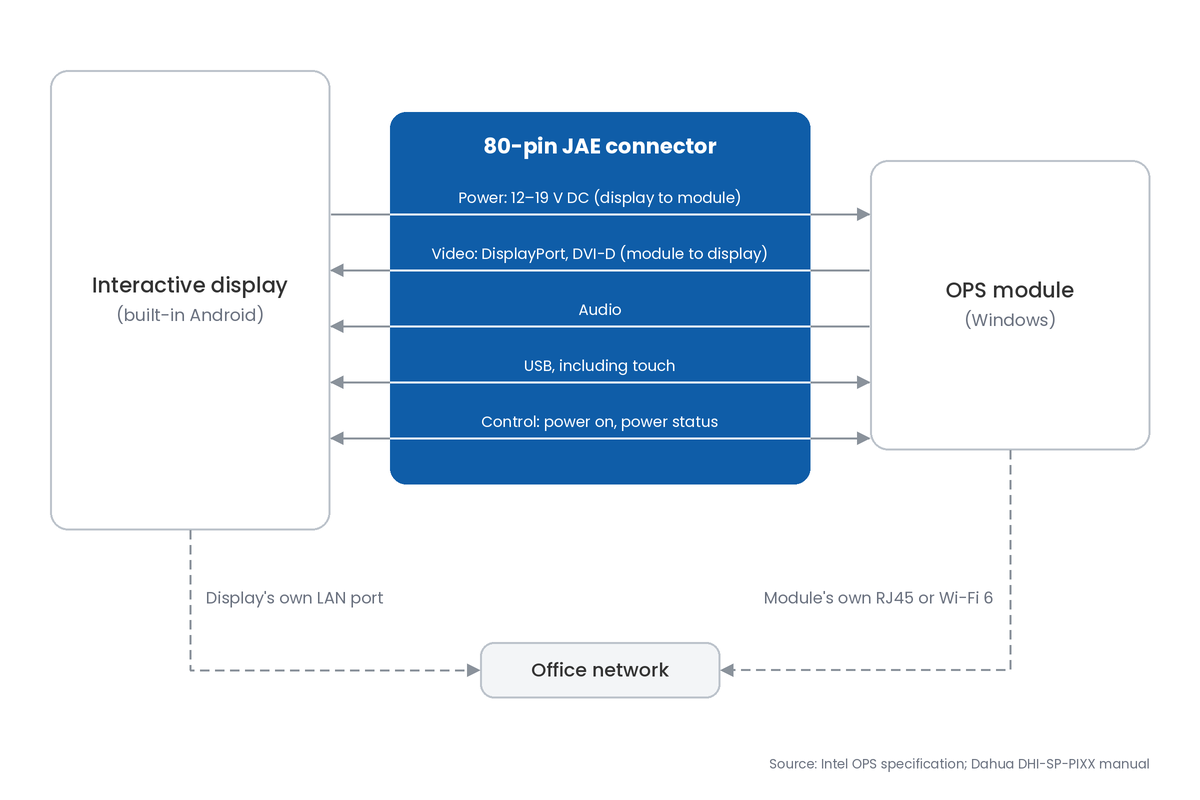
- Connector: a single 80-pin JAE connector carries power, DisplayPort and DVI-D video, audio, USB and control signals between module and display.
- Power: the display supplies 12 to 19 V DC through that connector, so the module needs no separate power adapter.
- Size: Intel's original module measures 200 x 119 x 30 mm, while Dahua's current modules measure 119 x 180 x 30 mm, 20 mm shorter.
- Software: modules ship with an operating system such as Windows 11 Pro, or with none, depending on the version ordered.
How is an OPS module different from a mini PC?
It is the same kind of computer in a different package. A mini PC needs its own power supply plus video and USB cables to the screen, while an OPS module takes all of that through its connector and is screwed into the display, so nothing sits on the table or hangs behind the screen.
Does an OPS module use the display's network connection?
No. Intel's connector carries no network signals, so the module connects through its own gigabit RJ45 port or its Wi-Fi 6 radio, separately from the display's network port. Plan a second data point at the screen, or confirm Wi-Fi coverage, before installation day.
Do you need an OPS module for your interactive display?
You need one only when Windows must run on the board itself every day. For whiteboarding, screen sharing and occasional laptop use, the display's built-in system is enough.
When is the built-in Android system enough?
For most whiteboarding, sharing and file viewing. Dahua's DeepHub Pro (MC470-P series) runs Android 14 with 16 GB of system memory, opens Office files, PDFs and media, shares screens with phones and laptops, and includes DeepHub Meeting software with a one-year licence, after which a renewal fee applies.
When do you need Windows on the board?
When staff must run Windows-only software, sign in to your company's managed Windows environment, or use the Windows versions of Microsoft Teams, Zoom or Webex without bringing a laptop. Dahua's datasheet for the DeepHub Pro lists Windows 7, 8, 10 and 11 for the external module, with 50 touch points under Windows against 32 under Android.
Is a laptop on a cable a good alternative?
For occasional use, yes. The DeepHub Pro's USB-C input carries 4K video at 60 frames per second, touch control back to the laptop and 65 W charging over one cable, but every meeting then depends on someone bringing, connecting and charging a laptop.
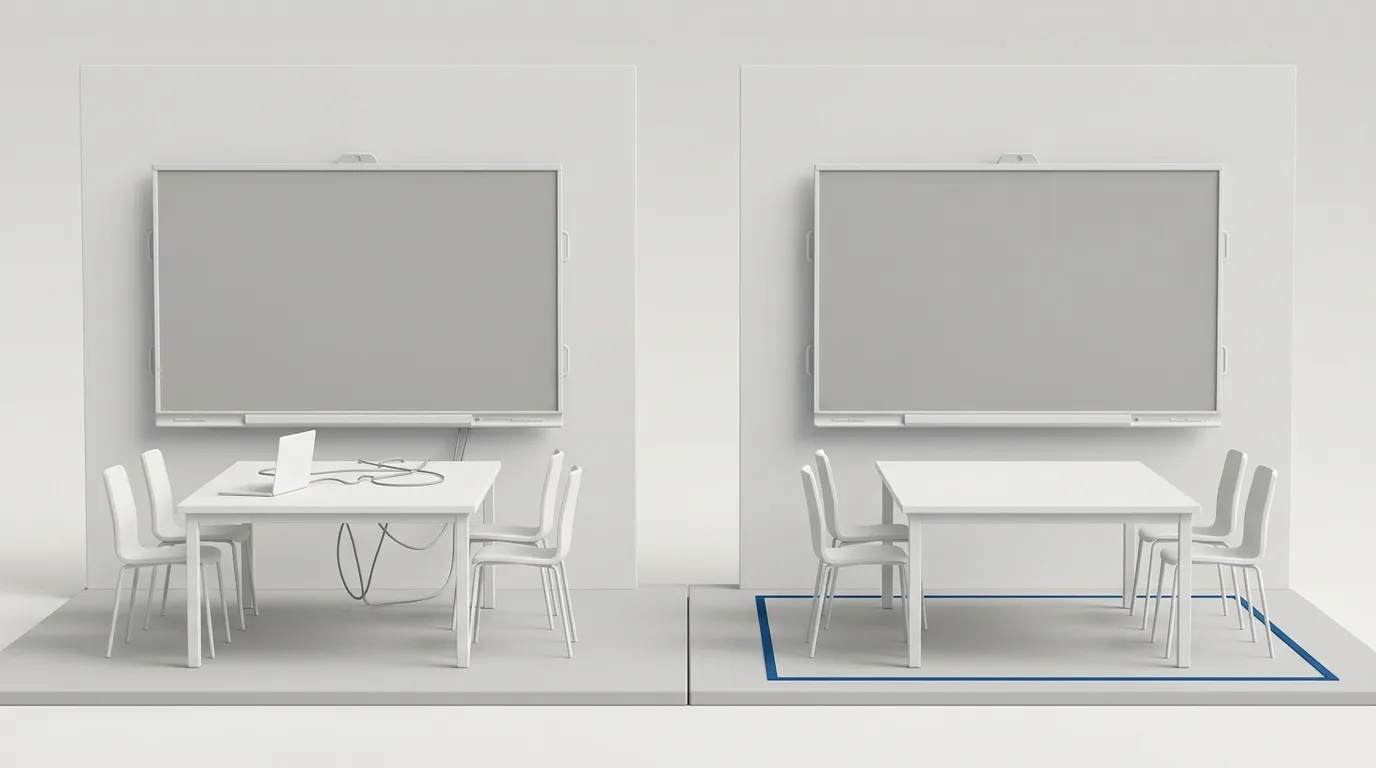
How do Android, an OPS module and a laptop compare?
An OPS module is the only option that keeps managed Windows on the board permanently, while Android and a cabled laptop each cover part of that job. The table compares them on a Dahua DeepHub Pro whiteboard.
| Factor | Built-in Android | OPS module | Laptop on USB-C |
|---|---|---|---|
| Windows desktop software | No | Yes | Yes, on the laptop |
| Extra hardware | None | Slot-in module inside the display | Each presenter's laptop |
| Cables on the table | None | None | One USB-C cable |
| Ready when the board wakes | Yes | Yes, once Windows starts | Only when a laptop is connected |
| Touch control | 32 touch points | 50 touch points in Windows | Touch over the USB-C cable |
| Meeting software | DeepHub Meeting (one-year licence) | Windows Teams, Zoom or Webex | Whatever the laptop runs |
| Who maintains it | Display firmware updates | Your IT team, like any company PC | Each laptop's owner |
| Best for | Whiteboarding and sharing | Rooms that need Windows daily | Visitors and occasional use |
Key takeaway
For most Saudi offices and classrooms, the built-in Android system covers daily whiteboarding and sharing, and an OPS module earns its place in rooms where staff need Windows software or Windows meeting apps every day. A cabled laptop remains the right answer for visitors.
How much power does an OPS module add?
About an eighth of the display's own draw. Dahua rates both of its modules at 53 W typical and 58.8 W maximum, with 0.8 W in standby, against 425 W basic consumption for the 86-inch DeepHub Pro, and the module takes that power through the display's connector.
How do you choose the right OPS module?
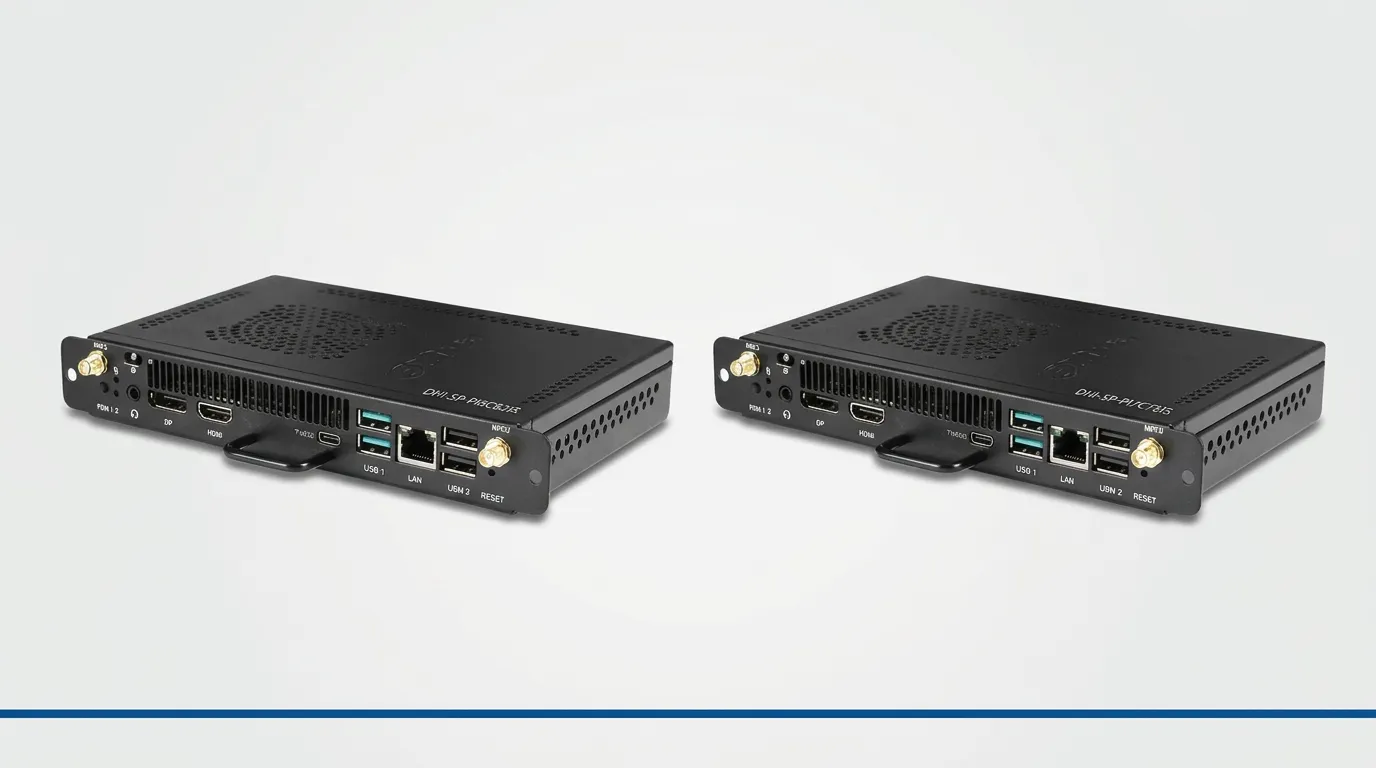
Choose a module your display's maker lists, then pick the processor tier and make sure it arrives with Windows activated. Blue Edge supplies two Dahua modules, with these key numbers:
- DHI-SP-PI5C82IS: Intel Core i5-12450H (8 cores, 12 threads), 8 GB DDR4 memory and a 256 GB SSD.
- DHI-SP-PI7C75IS: Intel Core i7-12650H (10 cores, 16 threads), 16 GB DDR4 memory and a 512 GB SSD.
- Both: Windows 11 Pro activated, Wi-Fi 6 and Bluetooth, gigabit RJ45, USB-C plus four further USB ports, HDMI and DisplayPort outputs, and an operating range of −5 °C to 45 °C.
Core i5 or Core i7: which do you need?
The Core i5 DHI-SP-PI5C82IS covers presenting, browsing, Office work and video calls. Choose the Core i7 DHI-SP-PI7C75IS when the board will run several demanding applications at once, handle large design or training files, or stay in service for many years, since it doubles memory and storage and adds two processor cores.
Should the module come with Windows pre-activated?
Yes, unless you already hold spare volume licences. Dahua sells each module either without an operating system or with Windows 11 Pro activated, and the activated versions Blue Edge supplies avoid buying a licence separately and installing Windows on site.
Will any OPS module fit any display?
No. Module lengths differ between Intel's original specification and current designs, so buy only the modules the display's maker lists: Dahua's datasheet for the DeepHub Pro MC470-P series lists six OPS modules as optional accessories, including both above. The same rule applies across brands, since Huawei's IdeaHub S2 and S3 also need an optional OPS module for Windows.
What do Saudi organisations need to consider before adding an OPS?
Four local factors matter most: heat, language, security and support. None of them shows up in a spec sheet comparison.
Can the board and its OPS cope with Saudi heat?
Only in a cooled room. Dahua rates the 86-inch DeepHub Pro for operation from 0 °C to 40 °C and its OPS modules from −5 °C to 45 °C, and Intel's specification requires vents over the module so it can draw in air. Never recess the board in a closed niche, and switch it off at the mains when the air conditioning goes off for weekends or holidays, because the storage ratings reach 60 °C for the whiteboard and 70 °C for the module.
Will Windows on the OPS work in Arabic?
Yes, once it is set up for it. Add Arabic as a display language and keyboard layout during commissioning, then test right-to-left documents and your business applications in Arabic before rollout, because support varies between applications.
Should an OPS module be managed like a company PC?
Yes. It is a Windows computer on your network that anyone in the room can use, so it needs the same patching, antivirus and asset records as staff laptops. NCA's Essential Cybersecurity Controls expect government entities and critical infrastructure operators to manage assets and vulnerabilities across their estate, and our guide to patching Windows devices with NinjaOne covers how to keep devices like these updated.
What should you ask about warranty and spares?
Ask who handles OPS warranty claims inside Saudi Arabia, and whether a spare module can be held for critical rooms. Because the module slides out of its slot, a spare restores Windows on the board while the faulty unit is repaired.
Blue Edge Company, founded in 2016 and based in Dammam in the Eastern Province, is a value-added technology distributor and an authorised Dahua Technology distributor in Saudi Arabia for interactive displays and meeting-room accessories. It supplies both OPS modules through its Dahua whiteboard accessories range, alongside Dahua interactive displays, and provides IT installation and configuration for projects across Saudi Arabia.
What are the most common OPS module mistakes?
The expensive mistakes happen before installation, when the module is chosen. They are listed worst first.
- Buying a module the display does not list. An OPS from another range or brand may not fit the slot or connect properly, and the fix costs a return shipment and a second wait for the right module.
- Inserting or removing the module with the power on. Dahua's manual warns to switch off the AC supply before connecting non-plug-and-play devices. Skipping that step risks damage to the module or the display, and a repair claim instead of a working room.
- Leaving the OPS out of patching and antivirus. A shared Windows PC that misses updates becomes the weakest device on the network, and cleaning up after an incident costs far more than enrolling it on day one.
- Blocking the vents. A board recessed into joinery or a closed niche traps the heat the module must lose, which risks thermal shutdowns during long sessions and a shorter service life.
- Ordering a "without system" module by mistake. It arrives with no operating system, so someone must buy a Windows licence and install it on site before the room works.
- Buying an OPS for a room that only shares screens. If nobody needs Windows on the board, the module's cost is better spent on another display or better room audio.
Check your display, then choose the module
Start with the display: open its datasheet and find the OPS models listed under optional accessories. If none are listed, ask the supplier before assuming the display takes a module.
Next, list the Windows software and meeting platforms each room really needs. Rooms with none can stay on the built-in Android system, while rooms with daily Windows use get an OPS, using the flowchart below to choose the tier.
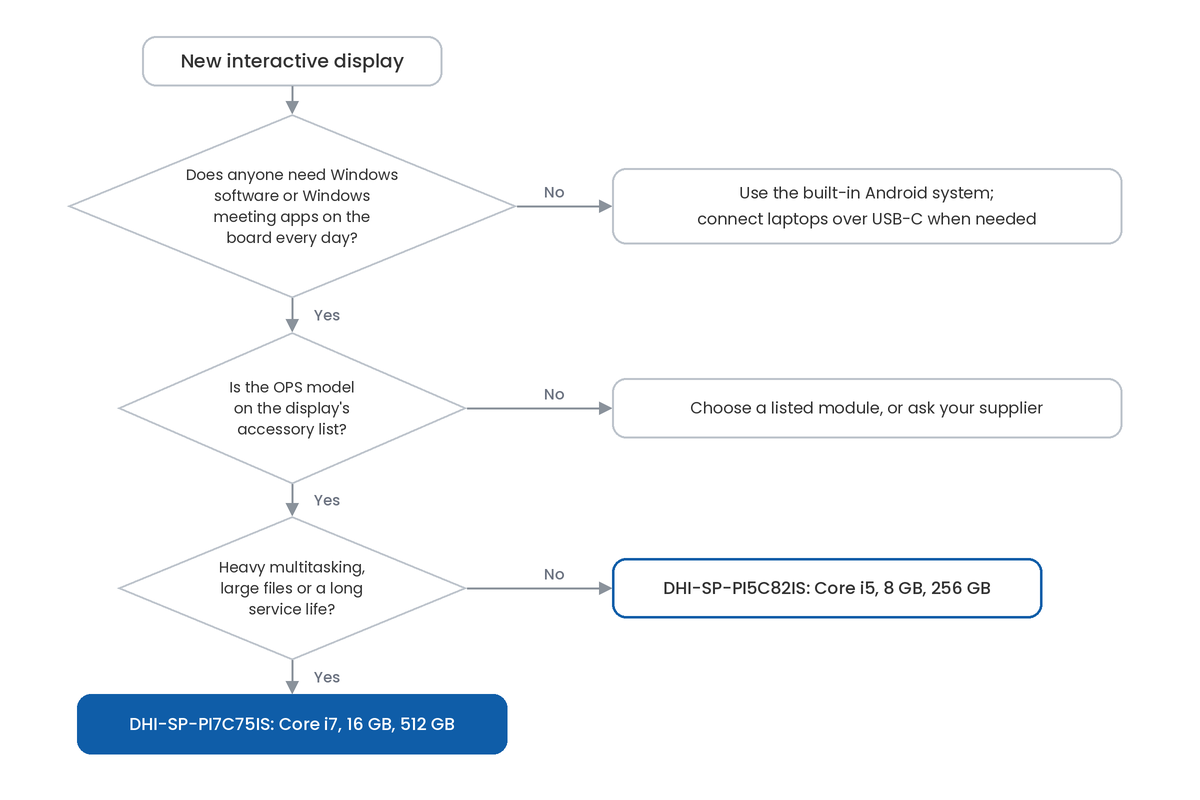
Finally, plan the installation. Switch the display off before fitting the module, give the module a data point or Wi-Fi coverage, set up Arabic language and keyboard, and enrol it in your patching tool before handover.
Key Takeaways
- An OPS module is a slot-in computer that connects to a display through one 80-pin connector carrying power, video, audio, USB and control signals.
- You need one only when Windows software or Windows meeting apps must run on the board every day.
- The OPS connector carries no network signals, so plan a data point or Wi-Fi for the module itself.
- Buy only modules the display's maker lists; Dahua's DeepHub Pro datasheet lists six.
- The DHI-SP-PI5C82IS (Core i5, 8 GB, 256 GB) suits everyday rooms; the DHI-SP-PI7C75IS (Core i7, 16 GB, 512 GB) suits heavier use and longer service.
- In Saudi Arabia, keep rooms cooled, set Windows up for Arabic and manage the OPS like any company PC.
Frequently Asked Questions
-
Does touch work in Windows when an OPS module is fitted?
Yes. The OPS connector carries USB signals, which the display uses to pass touch input to the module, and Dahua lists 50 touch points under Windows on the DeepHub Pro. If touch stops responding, Dahua's manual points first to checking the USB driver in Windows before treating it as a hardware fault.
-
Can an OPS module drive a second screen?
Yes. Both Dahua modules have an HDMI 1.4 output, up to 4K at 30 Hz, and a DisplayPort output, up to 4K at 60 Hz, on the front panel. That lets the Windows desktop extend or mirror to a second display, such as a confidence monitor for the presenter or a repeater screen at the back of a training room.
-
Can you upgrade an OPS module's memory or storage later?
Yes, within limits. Dahua's manual lists two DDR4 SO-DIMM memory slots, up to 3200 MHz, and an M.2 2280 SSD slot that takes NVMe or SATA drives, so a qualified technician can add memory or fit a larger drive. The processor cannot be changed, and Dahua advises against opening the unit without professional staff present.
-
Will the OPS module start when the display is switched on?
It can. The OPS standard includes a power-on signal from the display and a power-status signal back to it, so a display can start the module from its own power button or remote. Dahua's default Windows settings also put the module to sleep after 10 minutes on mains power, which you may want to extend for meeting rooms.
-
Can an OPS module be locked against theft?
Yes. Dahua's module has an anti-theft lock hole for a security cable, and it is fixed into the display with the two screws supplied in the box. In classrooms, training centres and shared meeting rooms, using both makes it much harder for anyone to slide the module out unnoticed.
Sources & References
- Intel — Digital Signage Open Pluggable Specification (OPS): Electrical, Mechanical, and Thermal Specification, document 324427-005 (September 2012; initial release October 2010) standard
- Dahua — DHI-SP-PIXX Series User's Manual V1.0.0 (April 2024), hosted on the Blue Edge product page vendor documentation
- Dahua — SP-PI5C82IS Open Pluggable Specification product specifications vendor documentation
- Dahua — SP-PI7C75IS (Win 11 Pro Activated) datasheet, hosted on the Blue Edge product page vendor documentation
- Dahua — OPS accessories for interactive whiteboards (Saudi Arabia listing) vendor documentation
- Dahua — DHI-LPH86-MC470-P smart interactive whiteboard datasheet (Rev 002.000, 2025), hosted on the Blue Edge product page vendor documentation
Not sure whether your rooms need an OPS module?
Blue Edge supplies Dahua DeepHub interactive whiteboards with the DHI-SP-PI5C82IS and DHI-SP-PI7C75IS OPS modules, Windows 11 Pro activated, and installs them for projects across Saudi Arabia.
Call or WhatsApp +966 53 9855 188, tell us about your rooms through the contact page, or browse Dahua whiteboard accessories.
About Blue Edge
Blue Edge Company is a value-added technology distributor based in Dammam, Saudi Arabia, supplying interactive displays, smart building systems, networking infrastructure and IT security software to businesses and residential projects across the Kingdom, with installation and technical support.
Learn more about Blue Edge →Published 7 October 2026 • Last updated 7 October 2026 • This article is reviewed when standards, regulations or product guidance change.