Shopping Cart


- Articles
- Networking
- How to Set Up a Guest Wi-Fi Network Safely for Business
How to Set Up a Guest Wi-Fi Network Safely for Business
Learn how to securely configure a guest Wi-Fi network using WPA3 encryption, client isolation, bandwidth controls, and best practices to protect business data.
By Blue Edge Team | Published Jun 16, 2026 | Updated Sep 23, 2026 | 5 min read
Quick answer
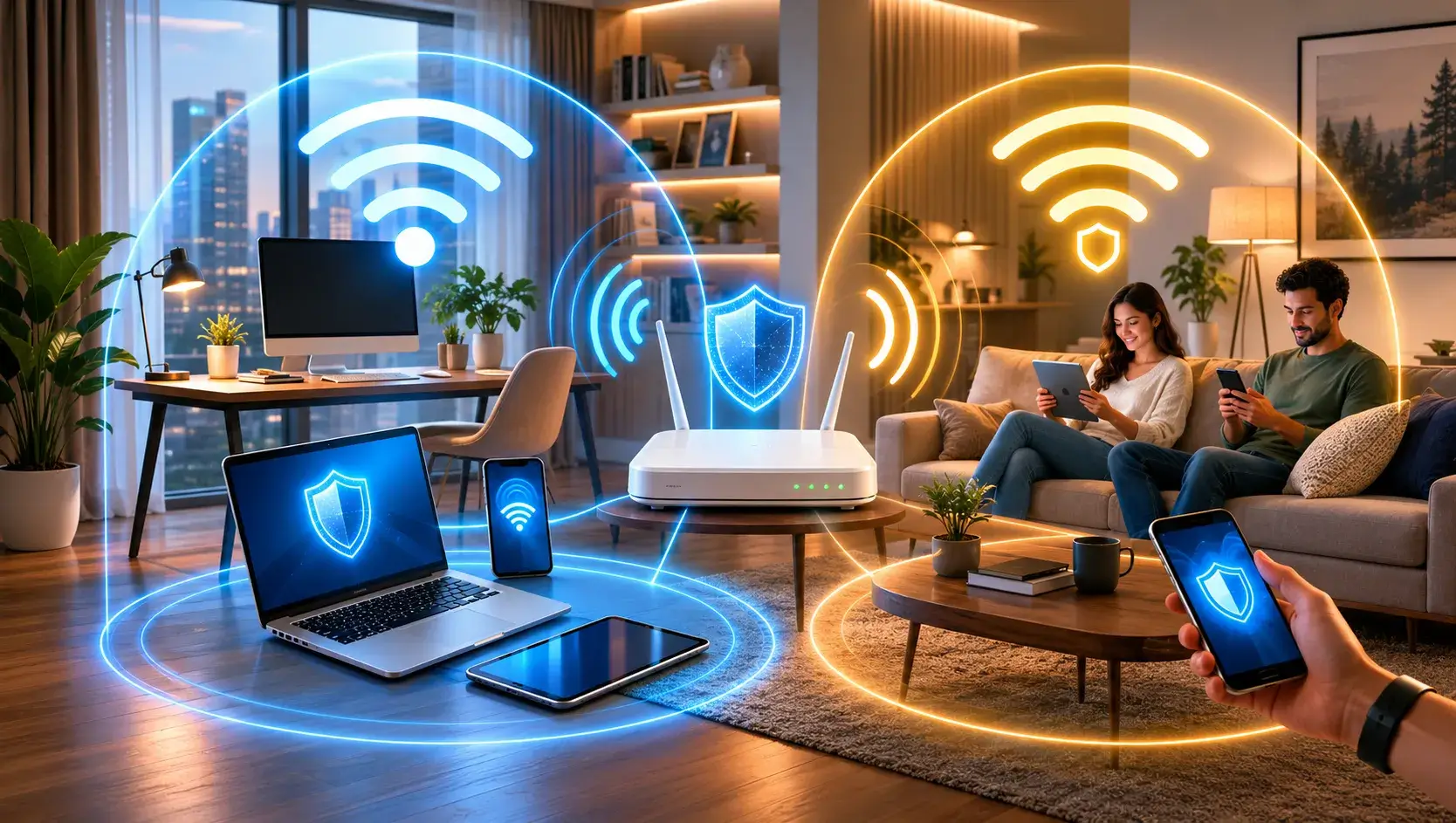
To set up a guest Wi-Fi network safely, log into your router's administrative dashboard, enable the guest network feature, and assign a unique Service Set Identifier (SSID). Secure the network using WPA3 encryption, establish a strong password, and enable client isolation to prevent guests from accessing your primary business network or devices.
Providing internet access to visitors, clients, or customers is a standard requirement for modern businesses. However, sharing your primary network credentials poses a significant security risk. A dedicated guest Wi-Fi network solves this problem by offering internet access while keeping your sensitive corporate data isolated and secure.
When visitors connect to your primary Wi-Fi, they gain potential access to shared servers, printers, and internal devices. This exposure increases the vulnerability of your organizational infrastructure to malware and unauthorized data extraction. Creating a separate access point ensures your business operations remain uninterrupted and protected.
Implementing a secure guest Wi-Fi network requires precise configuration. By following structured security protocols, organizations can protect their digital assets while delivering reliable connectivity to guests.
Why should organizations deploy a separate guest Wi-Fi network?
Deploying a separate guest Wi-Fi network provides a critical layer of cybersecurity for your organization. A guest network operates on a distinct virtual local area network (VLAN) or subnet. This separation ensures that any compromised devices brought into your facility cannot infect your primary network infrastructure.
Key advantages include:
- Enhanced Cybersecurity: Isolates visitor devices from your company's proprietary data, servers, and internal communication systems.
- Bandwidth Control: Allows network administrators to throttle guest bandwidth, ensuring that critical business applications receive priority access to internet speeds.
- Malware Containment: Prevents viruses from spreading from an infected visitor device to internal workstations.
- Simplified Access Management: Eliminates the need to repeatedly change your primary Wi-Fi password when employees leave the organization or after a large event.
How do you configure a guest Wi-Fi network securely?
Setting up a guest network requires accessing your router's administrative settings. Follow these precise steps to establish a secure secondary network for your visitors.
1. Access the router administrative dashboard
Locate your router's IP address (commonly 192.168.1.1 or 10.0.0.1) and enter it into a web browser. Log in using the administrator credentials. Never use the default factory credentials. If you have not updated the administrator password, change it immediately to a complex alphanumeric string.
2. Enable the guest network feature
Navigate to the wireless settings or network configuration tab within the router dashboard. Locate the section labeled "Guest Network" or "Guest Access" and toggle the feature to the "Enabled" position.
3. Assign a distinct Service Set Identifier (SSID)
Create a specific name for the guest network. Use a naming convention that clearly identifies it for visitors, such as "[Company Name]-Guest". Do not hide the SSID, as hiding it provides negligible security benefits and causes connectivity issues for legitimate users.
4. Implement robust encryption protocols
Select WPA3 Personal as your security protocol. If your hardware does not support WPA3, choose WPA2-PSK (AES). Never use outdated protocols like WEP or WPA, as cybercriminals can easily exploit these obsolete standards.
5. Establish a strong guest password
Create a complex password specifically for the guest network. Avoid simple dictionary words. Use a combination of uppercase letters, lowercase letters, numbers, and symbols. Change this password on a regular schedule, such as at the beginning of every quarter.
What are the best practices for securing a guest Wi-Fi network?
Configuration is only the first step. Maintaining long-term network security requires continuous management and adherence to enterprise best practices.
- Enable Client Isolation: Also known as AP Isolation or Guest Isolation, this critical feature prevents devices connected to the guest network from communicating with one another. This stops a malicious actor on the guest network from scanning or attacking another guest's device.
- Disable Local Intranet Access: Ensure the router settings explicitly block the guest network from accessing the local intranet. Guests should only be permitted to access the external internet.
- Implement a Captive Portal: Require visitors to agree to an Acceptable Use Policy (AUP) before granting internet access. A captive portal acts as a digital checkpoint and can require guests to input an email address or accept terms of service, thereby limiting liability for the organization.
- Limit Bandwidth and Availability: Configure Quality of Service (QoS) rules to cap the bandwidth available to the guest network. Additionally, set the guest network to broadcast only during your standard business operating hours.
- Keep Router Firmware Updated: Hardware manufacturers release firmware updates to patch known security vulnerabilities. Enable automatic firmware updates or establish a monthly manual review process to ensure your router utilizes the latest security definitions.
Safeguard Your Network Infrastructure Today
Modern businesses require secure, flexible, and high-performance communication systems. Establishing a dedicated guest Wi-Fi network is a fundamental step in protecting your organizational data while supporting the needs of your visitors. By implementing distinct SSIDs, strong encryption, and client isolation, you significantly reduce the risk of cyber intrusions.
Blue Edge for Communication and Technology (BEC) is committed to empowering our partners with cutting-edge, secure technology solutions. If your organization requires assistance designing, implementing, or securing enterprise networking infrastructure, our experts are ready to assist. Contact BEC today to schedule a comprehensive network security consultation.
Frequently Asked Questions
-
Does a guest Wi-Fi network slow down internet speeds?
A guest Wi-Fi network utilizes the same overall bandwidth as your primary network. However, network administrators can configure Quality of Service (QoS) rules to limit the bandwidth allocated to guests. This ensures that internal business operations always maintain high-speed connectivity, regardless of visitor internet usage.
-
How often should a business change its guest Wi-Fi password?
Organizations should update their guest Wi-Fi password every 30 to 90 days. Frequent changes prevent unauthorized individuals in neighboring buildings from indefinitely utilizing your bandwidth. Additionally, passwords should be changed immediately following the termination of any third-party contractors who were granted network access.
-
Is WPA3 encryption necessary for a guest Wi-Fi network?
WPA3 is the most advanced and secure Wi-Fi encryption standard currently available. It provides superior protection against brute-force dictionary attacks compared to older protocols. If your organization's router supports WPA3, you must use it. If the hardware is older, WPA2-AES is an acceptable alternative, but hardware upgrades should be considered.
-
Can devices on a guest network access corporate printers?
If the network is configured correctly, devices on a guest network cannot access corporate printers or servers. Network administrators must explicitly disable local network access and enable client isolation within the router's guest network settings to ensure complete separation from internal hardware.
About Blue Edge
Blue Edge Company is a value-added technology distributor based in Dammam, Saudi Arabia, supplying interactive displays, smart building systems, networking infrastructure and IT security software to businesses and residential projects across the Kingdom, with installation and technical support.
Learn more about Blue Edge →Published 16 June 2026 • Last updated 23 September 2026 • This article is reviewed when standards, regulations or product guidance change.