Shopping Cart


- Articles
- Networking
- NVR vs DVR vs Cloud VMS: Choosing Video Recording
NVR vs DVR vs Cloud VMS: Choosing Video Recording
NVR vs DVR vs cloud VMS compared on storage, upload bandwidth, five-year cost and Saudi data residency rules, so you pick the right video recorder.
By Blue Edge Team | Published Sep 02, 2026 | Updated Oct 03, 2026 | 13 min read
Quick answer
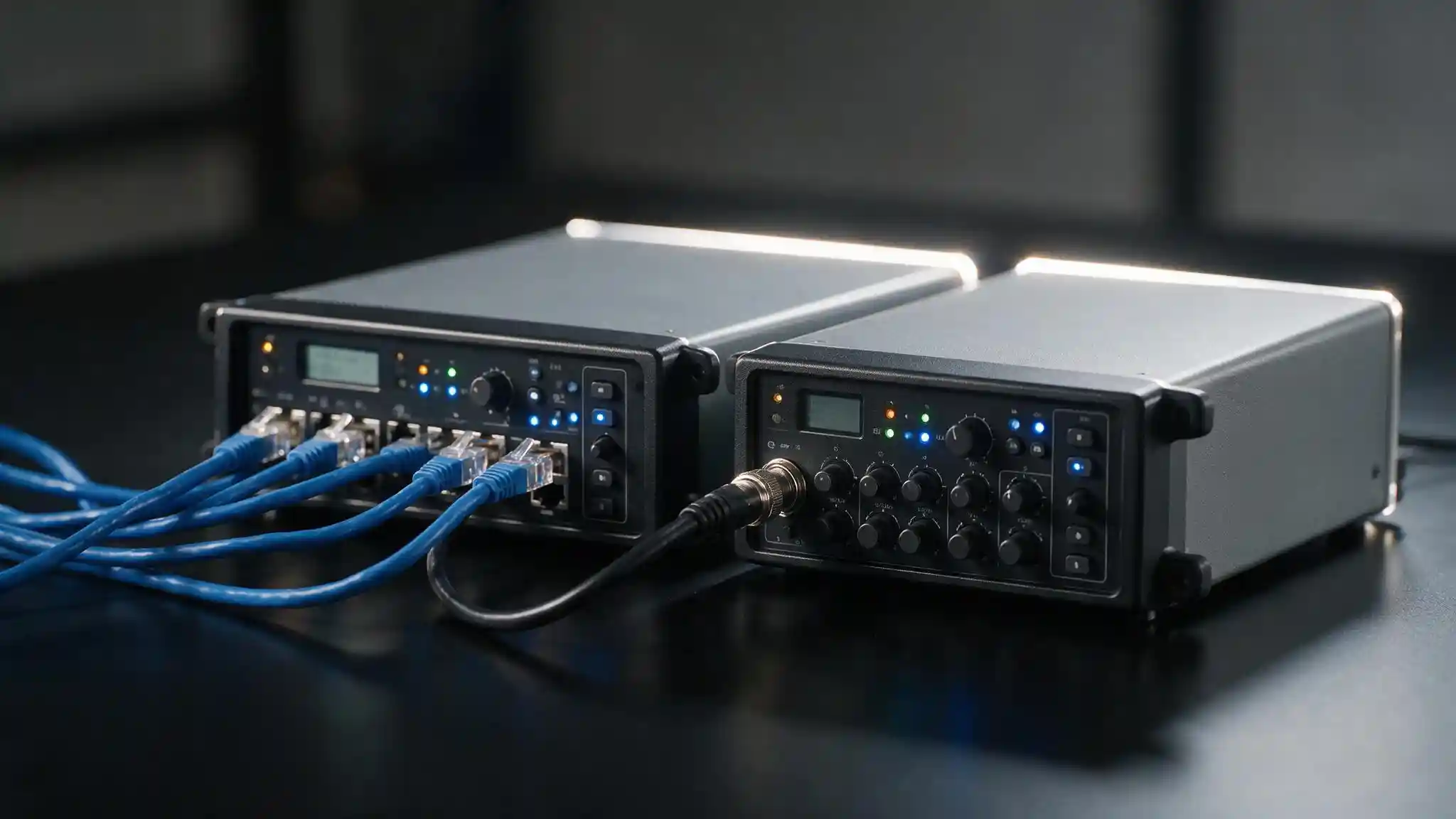
An NVR records IP camera streams over an Ethernet network, a DVR records analog cameras over coaxial cable, and a cloud VMS stores footage on a subscription platform outside the building. Most Saudi businesses should choose an NVR, or a hybrid setup that records locally and uses the cloud for management and backup, because continuous cloud upload requires bandwidth most sites do not have.
The recorder is the part of a surveillance system that decides whether footage still exists when you need it. Cameras get most of the attention in a tender, but a camera that captures a perfect image feeds a recorder that may be full, offline, stolen, or holding fourteen days of video when the requirement was ninety.
Three architectures are available, and they are not interchangeable. Each one sets a hard limit on camera type, retention, cost structure and where your footage physically lives.
This guide covers what each recorder does, the storage and upload arithmetic that decides feasibility, what the five-year cost actually looks like, and the data residency question that applies to any Saudi business considering cloud video.
What Is the Difference Between an NVR, a DVR and a Cloud VMS?
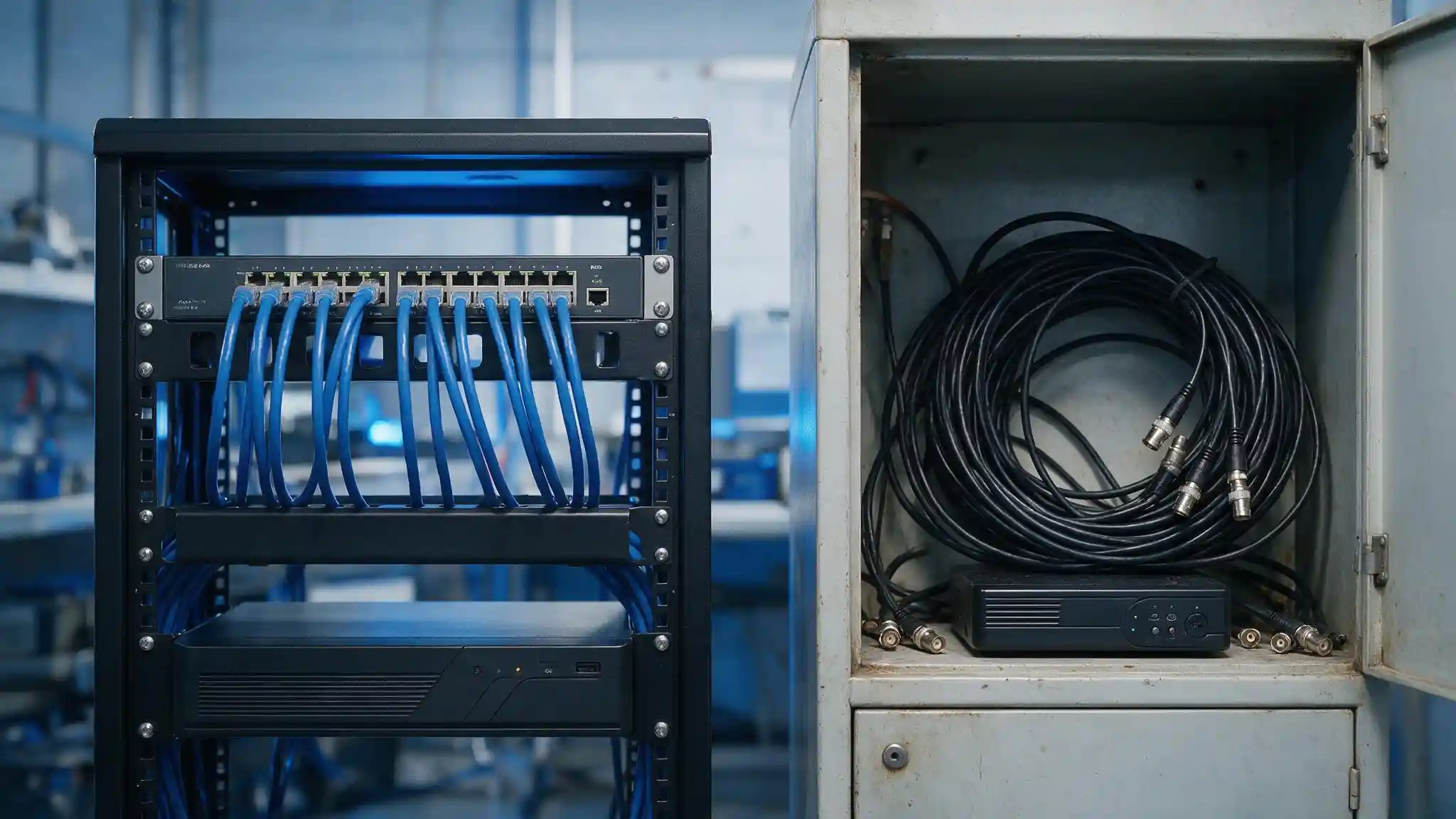
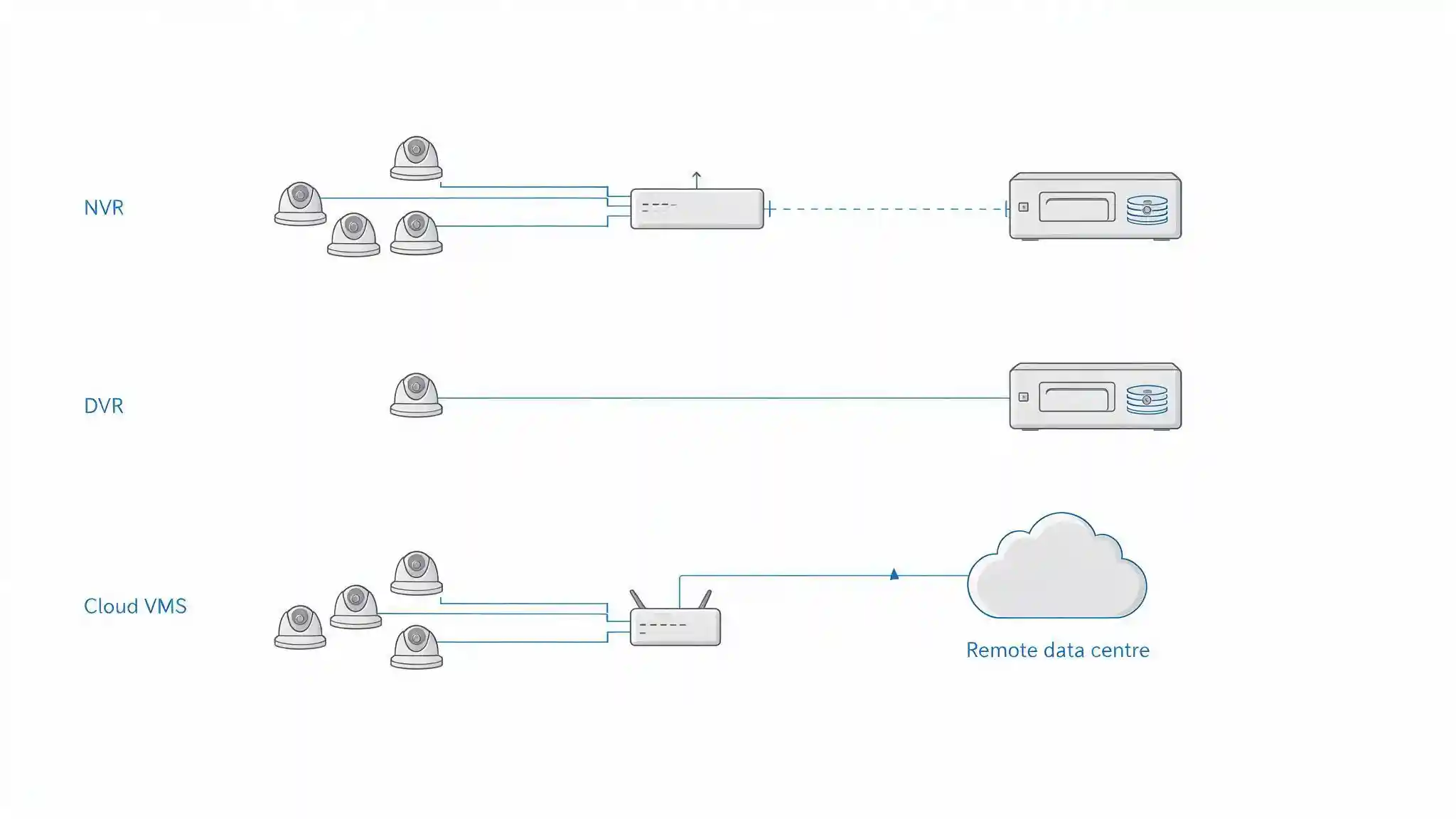
A Network Video Recorder (NVR) is a recording appliance that receives already-compressed video streams from IP cameras over an Ethernet network and writes them to internal storage. A Digital Video Recorder (DVR) is a recording appliance that receives raw analog video over coaxial cable and performs the encoding itself before writing to internal storage. A cloud Video Management System (VMS) is a subscription platform that stores and manages footage on remote infrastructure rather than on hardware inside the building.
The architectural difference is where the work happens.
With an NVR, the camera encodes. The recorder receives a finished H.264 or H.265 stream and simply writes it to disk, which is why an NVR preserves whatever resolution the camera produces. Many NVRs include built-in Power over Ethernet ports, which creates an isolated camera subnet and removes the need for a separate switch on small sites.
With a DVR, the recorder encodes. Every camera's image quality is capped by what the DVR supports, and the channel count is fixed by the number of physical BNC inputs on the back panel.
With a cloud VMS, storage and management move off site. Cameras either stream directly to the platform if they are cloud-native, or connect through an on-site bridge appliance that handles the upload. Nothing on the premises holds the primary recording.
What is an XVR or hybrid recorder?
An XVR, sometimes called a hybrid recorder, is a recording appliance that accepts both coaxial analog inputs and IP camera streams on the same unit. XVRs exist to solve phased migrations, letting a site keep working analog cameras on coax while adding IP cameras to the same recorder. They are a transitional device rather than a long-term architecture, and their IP channel counts are usually limited compared with a dedicated NVR.
How Much Storage Does Each Option Need?
Storage requirements are identical in principle across all three architectures, because the arithmetic depends on bitrate and retention rather than on where the disk sits. What changes is who pays for it and how.
Work it out in four steps:
- Convert bitrate to daily volume. One megabit per second of continuous recording consumes approximately 10.8 GB per day.
- Multiply by the retention period. At 90 days, that same 1 Mbps stream needs roughly 972 GB, or just under 1 TB.
- Multiply by camera count. Twenty cameras averaging 3 Mbps each equal 60 Mbps, which is about 648 GB per day and roughly 58 TB across 90 days.
- Add overhead. Allow headroom for RAID parity, peak-activity spikes and any retention extension your facility classification requires.
An NVR handles that volume with internal drives, and larger units use RAID so a single disk failure does not destroy the archive. Use surveillance-rated drives designed for continuous write workloads rather than desktop drives, which fail early under 24/7 recording.
A DVR handles the same volume but usually with fewer drive bays and no RAID, which makes drive failure a total loss rather than a maintenance event.
A cloud VMS converts that 58 TB into a monthly line item. Cloud pricing is typically per camera per month, banded by resolution and retention length, so longer retention raises the subscription rather than triggering a hardware purchase. This is the point where cloud economics either work well or fall apart, depending entirely on how long you must keep footage.
How Much Upload Bandwidth Does Cloud Video Recording Need?
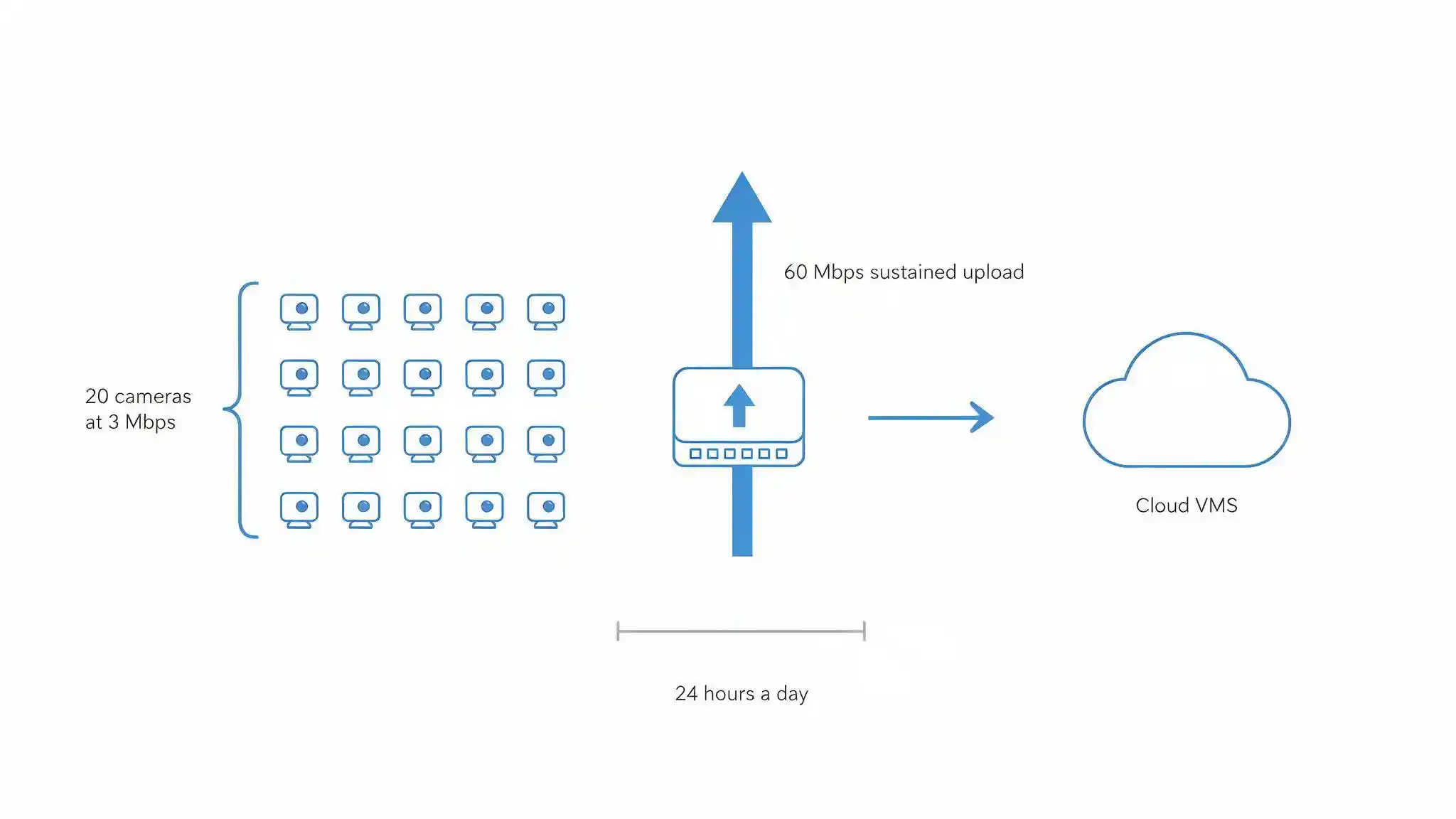
Cloud video recording requires sustained upload bandwidth equal to the total bitrate of every camera streaming to the platform, continuously, twenty-four hours a day. This is the constraint that decides whether a cloud VMS is viable at a given site, and it is the factor most often discovered after the contract is signed.
Twenty cameras averaging 3 Mbps each require 60 Mbps of continuous upload. That figure has to be available on top of everything else the site does: email, cloud applications, VoIP calls, file transfers and remote access. Many business internet packages are asymmetric, with upload capacity a fraction of the advertised download speed, and a surveillance system will consume all of it before anyone notices.
Three practical implications follow:
Check the upload figure, not the plan headline. A connection advertised at 500 Mbps may provide far less upstream. Confirm the guaranteed upload rate with the provider before designing around cloud recording.
Plan for contention. Continuous video upload competes with business traffic. Quality of Service policies and a dedicated VLAN keep surveillance from degrading everything else, and network capacity planning should account for the surveillance load explicitly.
Understand what happens during an outage. If the connection drops, direct-to-cloud cameras stop recording unless they hold footage on an onboard memory card. Bridge appliances and cloud-managed NVRs buffer locally and upload when connectivity returns, which is a materially different risk profile.
NVR vs DVR vs Cloud VMS: How the Three Compare
The table below sets out the criteria that decide the choice in practice.
| Criterion | NVR | DVR | Cloud VMS |
|---|---|---|---|
| Camera type | IP cameras over Ethernet | Analog cameras over coaxial cable | IP or cloud-native cameras |
| Where encoding happens | On the camera | On the recorder | On the camera |
| Where footage is stored | On site, internal drives or RAID | On site, internal drives | Remote data centre |
| Upload bandwidth needed | None for recording | None | Continuous, equal to total camera bitrate |
| Resolution ceiling | Whatever the camera produces | Capped by the recorder's format | Whatever the camera produces |
| Upfront cost | Medium | Low | Low |
| Recurring cost | Drive replacement and maintenance | Drive replacement | Per camera, per month subscription |
| Scalability | Add channels or a second unit | Fixed by BNC port count | Add cameras to the subscription |
| Remote access | Requires secure configuration | Requires secure configuration | Built in |
| Risk if hardware is stolen | Archive lost unless backed up | Archive lost | Footage unaffected |
| Risk if internet fails | Recording continues | Recording continues | Recording stops unless buffered locally |
| Data residency | Fully on site, under your control | Fully on site, under your control | Depends on the provider's data centre location |
| Best suited for | Most business premises, 90-day retention, multi-camera sites | Existing coax installations with no expansion plan | Small multi-site estates with strong upload and short retention |
Key takeaway
An NVR is the default choice for most Saudi business premises, because it preserves full camera resolution, keeps footage under local control, and does not depend on internet connectivity to record. A DVR only makes sense where working coaxial cable already exists. A cloud VMS suits small multi-site operations with genuine upload capacity and modest retention requirements, and its main advantage is that footage survives when the hardware is stolen or destroyed.
What Does Each Option Cost Over Five Years?
Cloud VMS is cheapest to start and most expensive to run, while an NVR reverses that pattern. The crossover point depends almost entirely on camera count and retention length.
| Cost Element | NVR | DVR | Cloud VMS |
|---|---|---|---|
| Recorder hardware | Medium | Low | None, or a bridge appliance |
| Storage | Medium to high, paid once | Medium, paid once | None, included in subscription |
| Software licensing | Sometimes per channel | Usually included | Included in subscription |
| Monthly subscription | None | None | Per camera, scales with retention |
| Internet requirement | Standard | Standard | Higher upload tier may be needed |
| Maintenance | Drive replacement, firmware updates | Drive replacement | Handled by the provider |
| Expansion cost | Additional channels or a second unit | New recorder once ports run out | Incremental per camera |
| Five-year total | Medium | Low to medium | Medium to high at long retention |
Two factors move the answer. Retention length is the first, because cloud pricing scales with it while on-site storage is a one-time purchase. Camera count is the second, because a subscription that looks trivial for six cameras becomes a significant annual commitment at sixty. Model the total cost of ownership across the full equipment life rather than comparing purchase prices.
Is Cloud Video Surveillance Legal in Saudi Arabia?
Cloud video surveillance is used in Saudi Arabia, but it raises a data residency question that on-site recording does not, and that question should be settled in writing before any contract is signed.
Surveillance footage of identifiable individuals is personal data under the Personal Data Protection Law (PDPL) administered by the Saudi Data and Artificial Intelligence Authority (SDAIA). The PDPL sets conditions on transferring personal data outside the Kingdom, which means a cloud VMS storing footage in a data centre abroad is performing a cross-border transfer of personal data and must satisfy those conditions.
Separately, the Law of the Use of Security Surveillance Cameras, issued under Royal Decree No. M/34 of 1444H and administered by the Ministry of Interior, governs how camera systems are installed and operated at covered facilities and sets retention obligations by facility classification. Ministry of Interior approval covers the installation, operation and maintenance of the system, and your recording architecture forms part of that.
Four questions to put to any cloud provider before signing:
- In which country are the recordings physically stored, and is a Saudi region available?
- Who can access the footage, under what process, and is that access logged?
- What is the retention configuration, and does it satisfy the period required for your facility classification?
- What happens to stored footage at the end of the contract, and how is deletion evidenced?
Cameras are also network-connected assets under the National Cybersecurity Authority's Essential Cybersecurity Controls (ECC), which apply whether the recorder sits in a cupboard or in a data centre. A cloud platform additionally becomes a third-party vendor risk that belongs in your supplier assessment.
Is a Hybrid Setup Better Than Choosing One?
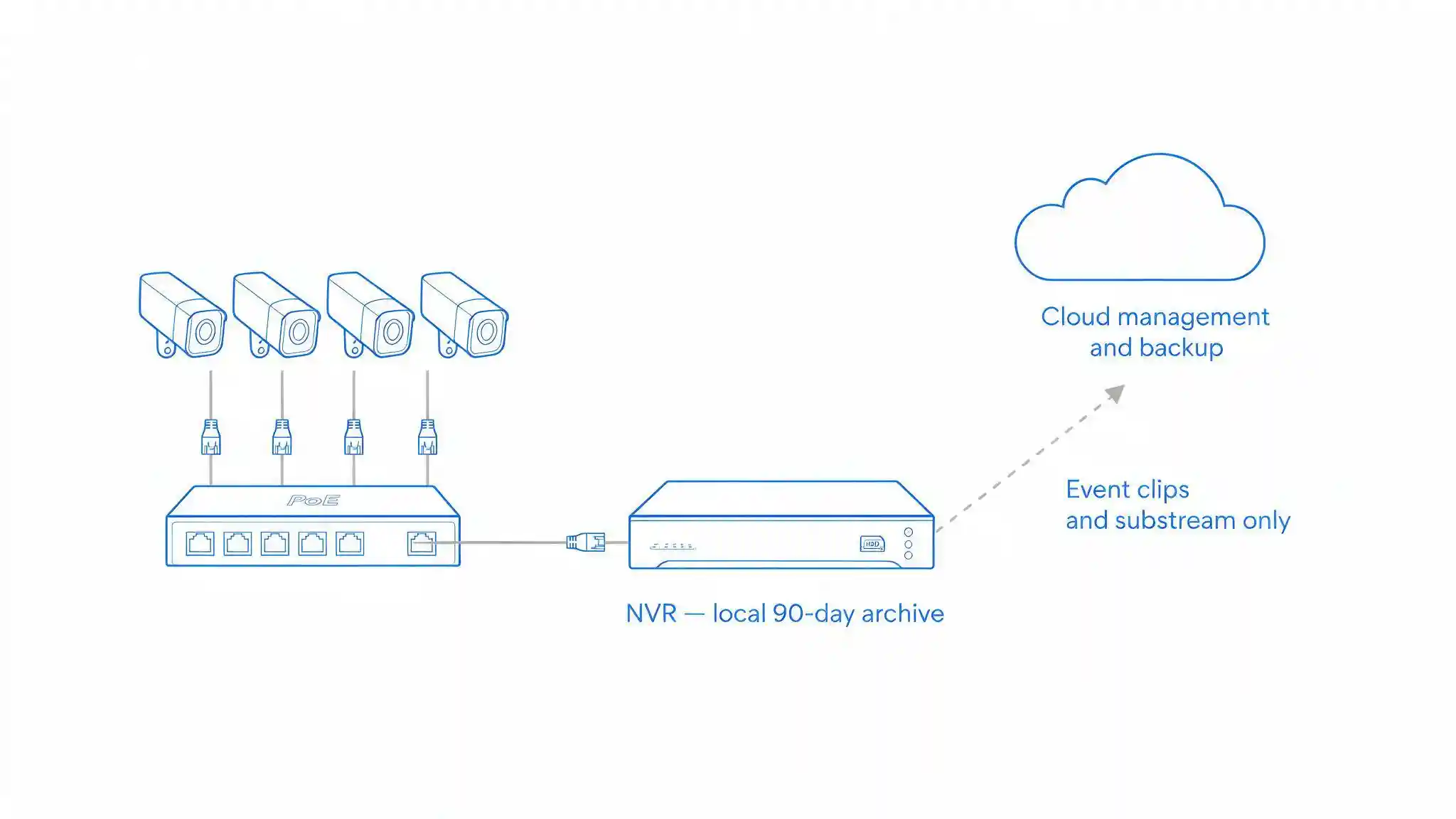
A hybrid architecture records locally to an NVR while using a cloud platform for management, remote viewing and off-site backup of selected footage. For most multi-site businesses in Saudi Arabia, this is the strongest option, because it removes the two failure modes that make the pure architectures risky.
A hybrid setup delivers:
- Recording that survives an outage. The NVR keeps writing when the internet drops, then synchronises when connectivity returns.
- Footage that survives theft. Critical clips or a rolling window are held off site, so removing the recorder does not remove the evidence.
- Realistic bandwidth. Only selected footage, event clips or a lower-bitrate substream travels upstream, rather than every camera continuously.
- Central management. One interface across sites without a VPN to each recorder.
- Local retention with cloud convenience. The 90-day archive stays in the Kingdom on your own hardware, which keeps the data residency question simple.
The trade-off is a subscription on top of hardware, and a slightly more complex system to configure. That cost buys genuine resilience, and it fits alongside a broader disaster recovery plan rather than sitting outside it.
Which Recorder Should Your Business Choose?
Choose an NVR if the site uses IP cameras, retention of 90 days or more is required, upload bandwidth is limited, or footage must stay under local control. This covers the majority of commercial premises.
Choose a DVR only if working coaxial cable already exists and has been tested, the camera count is roughly 16 or fewer, and no expansion is planned. If the coax is being replaced anyway, the case for a DVR disappears.
Choose a cloud VMS if the estate spans several small sites, upload capacity has been measured and confirmed, retention requirements are short, and the provider can store footage within the Kingdom.
Choose a hybrid if the business has more than one location, needs central viewing, must hold long retention locally, and wants footage to survive hardware theft. This is the right answer more often than any single architecture.
Blue Edge, a technology distributor based in Dammam, Saudi Arabia, supplies the structured cabling and networking and IT installation and configuration services that video recording deployments depend on, including PoE switching, VLAN segmentation and site bandwidth assessment.
What Are the Most Common Mistakes When Choosing a Recorder?
Six mistakes account for most recorder problems, and all of them are avoidable at the design stage.
Sizing storage on average bitrate. The archive fills faster than planned and overwrites early, quietly breaking the retention period the facility is required to hold.
Buying a cloud VMS without measuring upload. The system works during commissioning with four cameras and collapses when all twenty are streaming.
Using desktop hard drives in a recorder. Standard drives are not built for continuous write workloads and fail within months.
Assuming an NVR is a backup. A single recorder holding the only copy of the archive is a single point of failure, and it is usually mounted in the room a burglar visits first.
Ignoring where cloud footage is stored. Discovering the data centre location during a compliance review is far more expensive than asking before signing.
Exposing the recorder directly to the internet. Port-forwarding an NVR or DVR for remote viewing is one of the most common causes of compromised surveillance systems. Use a VPN or the manufacturer's secure relay, and put cameras and recorders on their own segmented network.

Decide Where the Footage Has to Live
The recorder decision reduces to one question: where does the footage need to be, and who needs to be able to reach it. Answer that and the architecture follows. Footage that must stay in the Kingdom, survive an internet outage and cover 90 days points to an NVR. Footage that must survive the theft of the hardware points to the cloud. Most businesses need both, which is why hybrid deployments have become the practical default.
Whichever direction you take, size the network before the storage. Upload capacity, PoE budget, VLAN design and switch placement decide whether a recording system performs, and none of those can be fixed by buying a larger recorder later.
Frequently Asked Questions
-
How many cameras can one NVR support?
NVR channel counts commonly run from 4 to 64 on a single unit, with larger enterprise platforms supporting more through server-based video management software. The limiting factors are the recorder's total throughput in Mbps, its drive bay capacity, and its licensed channel count. Check the throughput figure rather than the channel number, because a 32-channel NVR may not sustain 32 cameras at 4K.
-
How much upload bandwidth does cloud video recording need?
Cloud recording needs sustained upload equal to the combined bitrate of every camera streaming to the platform, running continuously. Twenty cameras averaging 3 Mbps each require 60 Mbps of upload, twenty-four hours a day, on top of all other business traffic. Confirm the guaranteed upstream rate with your internet provider before committing, because many business packages are asymmetric and advertise download speed only.
-
Is cloud video surveillance cheaper than an NVR?
Cloud video surveillance is cheaper to start and usually more expensive over five years. There is no recorder or storage to buy, but the per camera monthly subscription scales with both camera count and retention length. At short retention and a handful of cameras, cloud often wins. At 90-day retention across twenty or more cameras, an NVR is typically cheaper across the equipment life.
-
Is cloud CCTV legal in Saudi Arabia?
Cloud video surveillance is used in Saudi Arabia, but footage of identifiable individuals is personal data under the Personal Data Protection Law, which sets conditions on transferring personal data outside the Kingdom. Confirm in writing where the provider physically stores recordings, whether a Saudi region is available, and whether the retention configuration meets the period required for your facility under the Law of the Use of Security Surveillance Cameras.
-
What happens to my recordings if the internet goes down?
That depends on the architecture. An NVR or DVR keeps recording normally, because neither depends on internet connectivity to write footage. Cameras streaming directly to a cloud platform stop recording unless they hold footage on an onboard memory card. A bridge appliance or cloud-managed NVR buffers locally during the outage and uploads once connectivity returns, which is why hybrid setups are more resilient than pure cloud.
Planning a surveillance upgrade?
Blue Edge designs and installs the cabling, PoE switching and network infrastructure these systems depend on across Saudi Arabia.
Call +966 53 9855 188 or contact our team to review your site.
Cabling & Networking Solutions in KSAAbout Blue Edge
Blue Edge Company is a value-added technology distributor based in Dammam, Saudi Arabia, supplying interactive displays, smart building systems, networking infrastructure and IT security software to businesses and residential projects across the Kingdom, with installation and technical support.
Learn more about Blue Edge →Published 2 September 2026 • Last updated 3 October 2026 • This article is reviewed when standards, regulations or product guidance change.