Shopping Cart



Outdoor Wireless Bridges: The Smarter Way to Connect Buildings
Learn how outdoor wireless bridges connect offices, warehouses, campuses, and remote buildings without costly cabling, while delivering scalable, reliable, and secure network connectivity.
By Blue Edge Team | Aug 24, 2026
Outdoor Wireless Bridges: The Smarter Way to Connect Buildings
Outdoor wireless bridges extend high-speed network connectivity between buildings without trenching cables—making them ideal for warehouses, campuses, and multi-site facilities. They deliver reliable, secure, long-range connectivity at a fraction of the cost of traditional wired infrastructure.
Wired networks have long been the backbone of enterprise connectivity. But when your operations span multiple buildings, open yards, or sprawling campus grounds, running fiber or copper between structures quickly becomes expensive, disruptive, and—in many cases—simply impractical.
Outdoor wireless bridges solve this problem. By transmitting data wirelessly between two or more fixed points, these devices create stable, high-throughput network links across distances that would otherwise require significant civil works. For warehouses managing real-time inventory, universities coordinating across departments, and logistics hubs tracking assets in the field, outdoor wireless bridges are fast becoming the connectivity solution of choice.
This guide breaks down how outdoor wireless bridges work, what to look for when choosing one, and how they compare across key performance criteria.
How Do Outdoor Wireless Bridges Work?
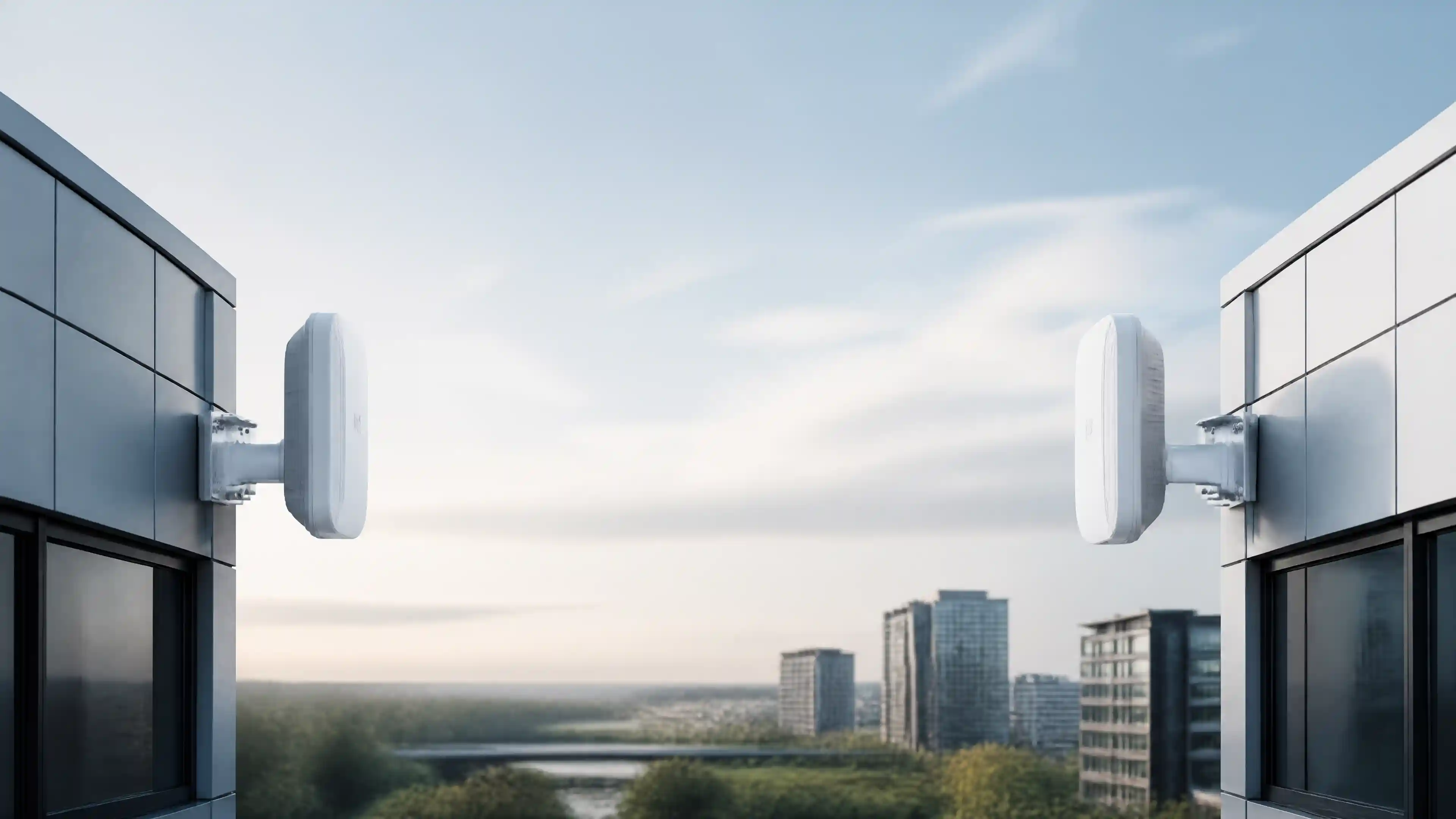
An outdoor wireless bridge creates a point-to-point (PtP) or point-to-multipoint (PtMP) wireless link between two or more locations. One unit acts as the access point and the other as the client bridge. Both units are mounted externally—on rooftops, poles, or building facades—and aligned to maintain a clear line of sight.
Data travels over licensed or unlicensed radio frequencies (typically 5 GHz or 60 GHz), achieving throughput speeds that rival wired connections. Advanced models use technologies like MIMO (Multiple Input, Multiple Output) and beamforming to maximize signal strength and minimize interference.
The result: two separate buildings share a single, seamless network—without a single cable buried in the ground.
What Are the Most Common Use Cases for Outdoor Wireless Bridges?
Warehouses and distribution centers benefit enormously from wireless bridge deployments. Connecting a main office to a detached storage facility, for example, allows warehouse management systems (WMS), barcode scanners, and security cameras to operate on a unified network without the cost of underground cabling.
University and corporate campuses use wireless bridges to link libraries, lecture halls, and administrative blocks across open grounds. A single high-performance bridge can support hundreds of simultaneous users when properly configured.
Industrial and manufacturing sites rely on wireless bridges to maintain connectivity across large outdoor footprints—including areas where physical cable installation is hazardous or structurally impossible.
Retail parks and business estates use point-to-multipoint configurations to provide a shared network infrastructure across multiple tenants or buildings from a central hub.
Key Features to Compare Before Buying an Outdoor Wireless Bridge
Not all outdoor wireless bridges are built the same. The table below compares the most critical specifications to evaluate before making a purchasing decision.
| Feature | Entry-Level | Mid-Range | Enterprise-Grade |
|---|---|---|---|
| Frequency Band | 2.4 GHz | 5 GHz | 5 GHz / 60 GHz |
| Max Throughput | Up to 300 Mbps | Up to 867 Mbps | 1 Gbps+ |
| Operating Range | Up to 500 m | Up to 2 km | Up to 10 km+ |
| Weather Rating | IP65 | IP67 | IP67–IP68 |
| PoE Support | Yes | Yes | Yes |
| MIMO Technology | No | 2x2 MIMO | 4x4 MIMO |
| Encryption | WPA2 | WPA2 / WPA3 | WPA3 + AES-256 |
| Management | Local GUI | Cloud + Local | Cloud, SNMP, CLI |
| Ideal For | Small sites | Medium campuses | Large enterprises |
Choose entry-level if you need a straightforward connection between two nearby buildings with light traffic demands.
Choose mid-range if your deployment spans several hundred meters and supports moderate data loads such as IP cameras or Wi-Fi backhaul.
Choose enterprise-grade if your environment involves high-density users, mission-critical applications, long distances, or strict security requirements.
What Factors Affect the Performance of an Outdoor Wireless Bridge?
Performance is never determined by hardware alone. Several environmental and configuration factors directly impact the reliability of your wireless bridge link:
- Line of sight (LOS): Obstructions—trees, buildings, or terrain—degrade signal quality significantly. Clear LOS between units is essential for optimal performance.
- Fresnel zone clearance: Even without visible obstructions, radio signals require a clear elliptical zone around the beam path. Failure to account for this is a common cause of underperformance.
- Interference: Competing wireless signals on adjacent channels can reduce throughput. Enterprise-grade bridges include automatic channel selection and interference mitigation tools.
- Mounting stability: Wind-induced movement on poorly mounted units causes signal drift. Rigid, professionally installed mounts are non-negotiable for long-range deployments.
- Cable quality: PoE cable runs from the bridge unit to the switch or router must meet the required specifications. Substandard cabling is a frequently overlooked bottleneck.
Outdoor Wireless Bridge vs. Fiber vs. Leased Line: Which Is Right for Your Site?
| Criteria | Outdoor Wireless Bridge | Underground Fiber | Leased Line |
|---|---|---|---|
| Installation Cost | Low–Medium | High | Very High |
| Installation Time | Hours | Days–Weeks | Weeks–Months |
| Ongoing Cost | Minimal | Low | High (monthly fee) |
| Throughput | Up to 1 Gbps+ | 10 Gbps+ | 1 Gbps (typical) |
| Reliability | High (weather-dependent) | Very High | Very High |
| Flexibility | High | Low | Low |
| Best For | Multi-building campuses | Permanent, high-load links | Remote sites without infrastructure |
Outdoor wireless bridges deliver the best balance of cost, speed of deployment, and flexibility for most warehouse and campus environments. Fiber remains the superior choice where extreme throughput or absolute resilience is required—but the civil engineering costs often make it prohibitive for secondary buildings or temporary expansions.
How to Plan an Outdoor Wireless Bridge Deployment
A structured deployment process prevents the most common installation failures:
- Site survey: Conduct a physical and radio frequency (RF) survey of both locations. Confirm line of sight, identify interference sources, and measure distances accurately.
- Hardware selection: Match the bridge specification to your throughput requirements, distance, and environmental conditions (wind, rain, temperature range).
- Mounting and cabling plan: Determine mounting positions, cable routing, and power supply arrangements before installation day.
- Configuration and alignment: Precise antenna alignment is critical. Most enterprise units include alignment tools within their management interface to assist with this.
- Testing and documentation: Validate throughput, latency, and signal levels against your requirements. Document the configuration for future reference and troubleshooting.
Engaging an experienced networking partner for the site survey and installation significantly reduces the risk of performance issues post-deployment.
Investing in the Right Connectivity Infrastructure Pays Off
Outdoor wireless bridges represent one of the most cost-effective network investments available to facilities managing connectivity across multiple buildings. The combination of rapid deployment, low ongoing cost, and enterprise-grade performance makes them well-suited to the demands of modern warehouses, campuses, and industrial sites.
Selecting the right hardware—matched carefully to your distance, throughput, and environmental requirements—is the single most important factor in a successful deployment. Partnering with a qualified technology provider ensures that both the hardware selection and the installation process are handled to the highest standard.
Ready to connect your buildings the right way? Contact our team today for a site assessment and tailored outdoor wireless bridge recommendation for your facility.
Frequently Asked Questions
-
What is an outdoor wireless bridge, and how does it differ from a standard Wi-Fi access point?
An outdoor wireless bridge creates a dedicated, fixed wireless link between two specific locations—functioning as a network cable replacement rather than a device for general user connectivity. A standard Wi-Fi access point broadcasts a wireless signal for multiple end-user devices to connect to. Wireless bridges prioritize throughput, range, and stability over broad coverage.
-
How far can an outdoor wireless bridge transmit a reliable signal?
Range depends on the frequency band, antenna gain, and environmental conditions. Entry-level units typically cover up to 500 meters. Mid-range models reach 1–2 kilometers. Enterprise-grade bridges operating at 5 GHz or 60 GHz can achieve reliable links exceeding 10 kilometers under clear line-of-sight conditions.
-
Do outdoor wireless bridges require a clear line of sight between units?
Yes. Point-to-point wireless bridges perform best—and in most cases require—a clear line of sight between the two units. Physical obstructions reduce signal strength and reliability. A proper site survey should confirm LOS and Fresnel zone clearance before hardware is specified.
-
Are outdoor wireless bridges secure enough for enterprise use?
Enterprise-grade outdoor wireless bridges support WPA3 encryption and AES-256 data protection, meeting the security standards required for business-critical applications. Additional security layers—including VLAN segmentation, firewall policies, and network monitoring—should be implemented as part of a comprehensive security architecture.
-
How long does it take to install an outdoor wireless bridge?
A standard point-to-point deployment between two buildings can typically be completed within a single day by an experienced installation team, assuming mounting points are accessible and cabling routes are prepared in advance. More complex multi-point deployments or sites requiring structural modifications may require additional time.